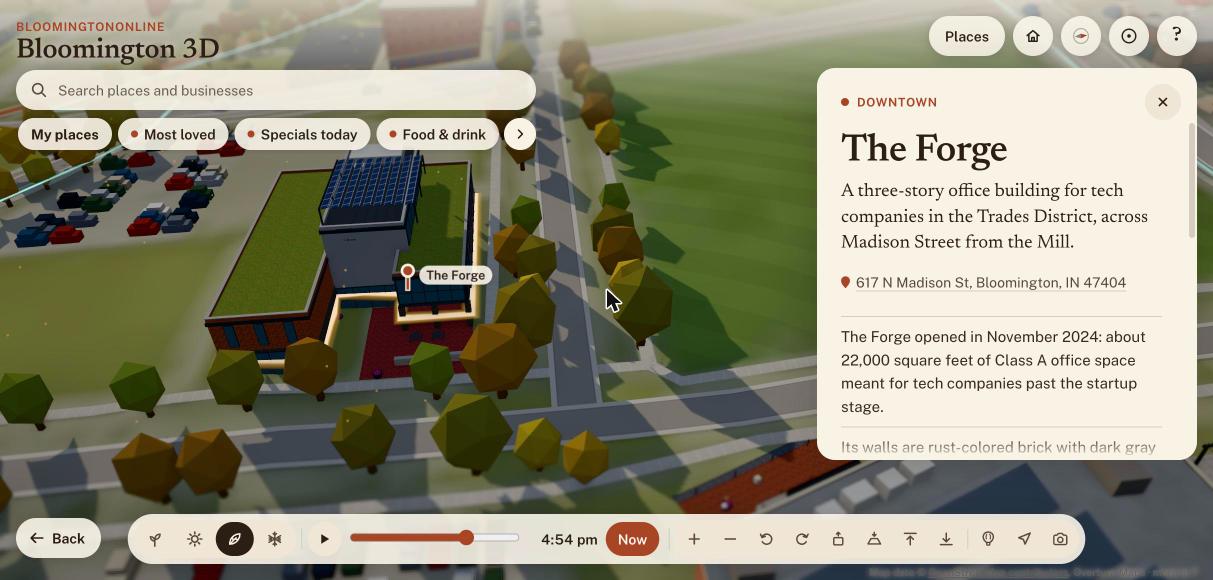
The map has a new building on it, and I had to come up with a pun to match: The Forge, the office building across from The Mill in the Trades District, is now on Bloomington 3D. This weekend, working with Claude Code, we also added pickleball courts and Indiana University’s campus to the map, built a tour of the city’s international markets, redesigned the Monday email, gave the events page filters, and cleaned up a few dozen directory listings. This week’s featured business is Amplify Bloomington, which happens to sit across the street from The Forge. Here is everything we forged, with the screens to show it.
The Forge opened in November 2024 at 617 N. Madison Street, across Madison from The Mill. It is a three-story office building, about 22,000 square feet, meant for tech companies that have outgrown the startup stage. Folia was its first tenant, and Bloom and ViVum AI were named among the first companies to move in. It has a green roof and a rooftop solar array that was expected to cover nearly 30 percent of its electricity.
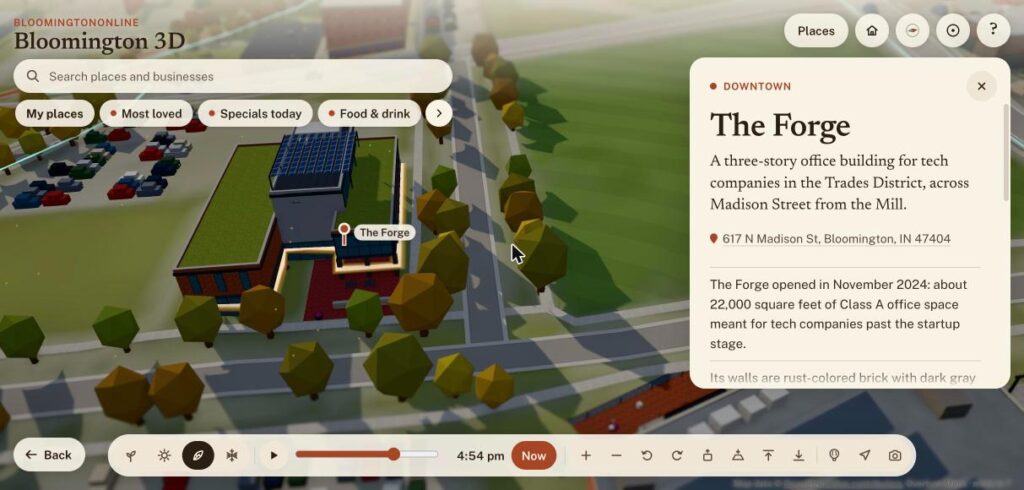
The Forge on the 3D map, with its green roofs, the solar canopy on top and the paved patio out front.
Most buildings on the map come from a lidar survey of the county. The Forge went up after that survey, so the map had nothing to start from. I sent photos I took standing in front of it, and Claude found the building in recent aerial imagery and traced its outline. Google’s own pin for the building lands inside that outline. The rust-colored brick, the glass box over the entrance, the gray tower with the Bloom sign, the solar canopy and the concrete sign wall out front all come from those photos.
I should be honest about the limits. The heights are estimates read from the photos, and I did not photograph the west or south sides, so those walls are best guesses. The card says so. If you work in the building and see something off, tell us and we will fix it. Earlier in the day we also made The Mill’s sign light up after dark and before dawn, so the two buildings now glow across the street from each other.
This week’s featured business: Amplify Bloomington
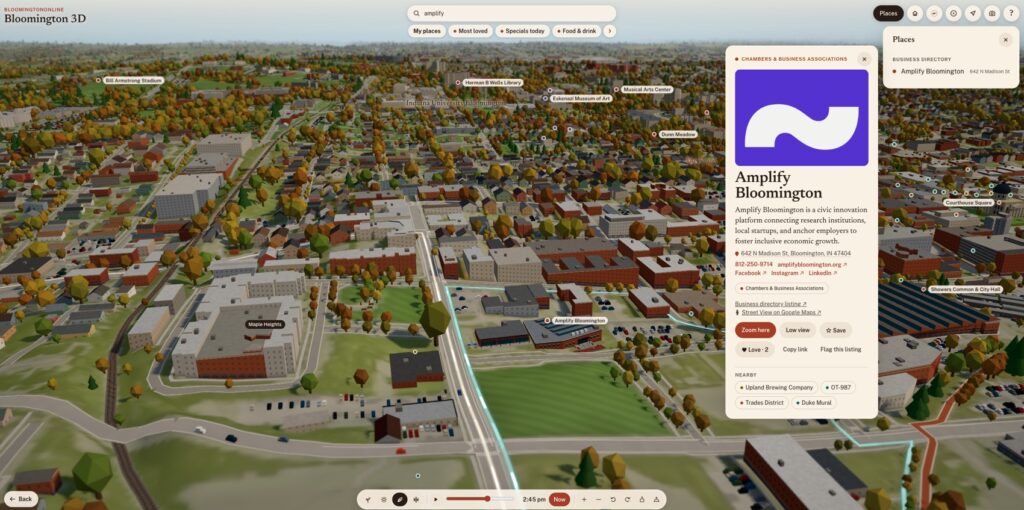
Amplify Bloomington is the Business of the Week on the homepage. It grew out of The Mill and describes itself as a civic alliance that supports regional entrepreneurship and innovation. Its coworking space is in the Trades District, and it helps local founders with scaling, access to capital and mentorship. It also connects Indiana University research with local employers and city leadership. Two people loved its listing this week.
If you are starting something, or you work for yourself and want a desk and some company, it is worth a visit. The listing has its contact details, and its card on the 3D map sits right across the street from The Forge.
One more change goes with it. When the map has nothing else to feature, such as a game or a concert, it now opens on the Business of the Week instead of the courthouse square. Today that means it opens on Amplify.
A tour of Bloomington’s international markets
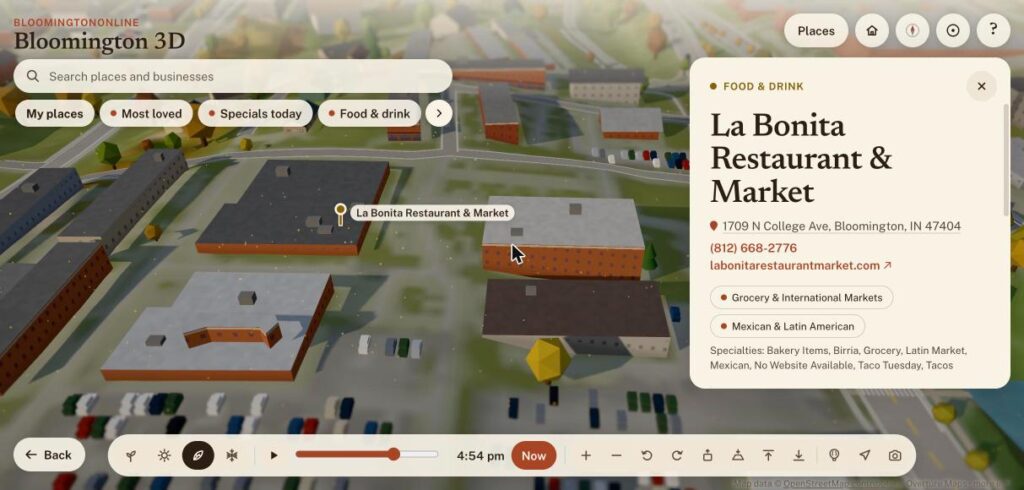
The Indiana Daily Student published a guide to the city’s international groceries and markets this summer, and it made a good map. There is now a guided tour with eleven stops: La Bonita, World Foods, Kabul Corner, 4th Street International, Little Italy Market, Btown Bodega, La Bodega, Olive Leaf, Apna Bazaar, Rong Cheng and B-Town International Market. Each stop has its own card, and the grocery and specialty food pages in the directory now point to the tour.
La Bonita Restaurant & Market on the international markets tour, with its address, phone number and specialties.
A redesigned Monday email, and an events page you can filter
The weekly email has a new look. Each event has a logo or a letter badge, a short description and add-to-calendar links for Google and for Apple and Outlook. Repeating events are folded into one line. The email you get when you sign up is designed now too, and so are the pages you land on when you confirm or unsubscribe. We also made those links safer: some mail programs open every link in a message to scan it, which could have unsubscribed people on its own. The links now show a button first, and only the button does anything.
Behind the scenes there is a new page for me under Tools called Weekly email, with the subscriber list, a send history, a preview and a test send. The next email goes out Monday morning at 8:00.
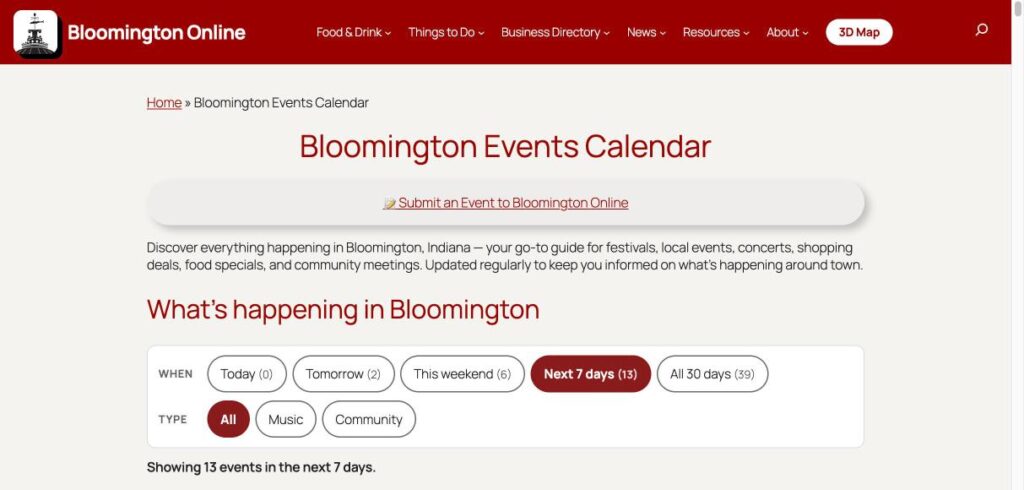
The events page got the same treatment. It shows the next 30 days from our public calendars, and you can narrow it by when (today, tomorrow, this weekend, next 7 days) and by type (music or community). Each event has an add-to-calendar link and a link to its place on the map. The homepage card uses a compact version of the same list.
The events calendar with its new filters for when and what kind of event.
Yesterday: pickleball courts, and all of Indiana University
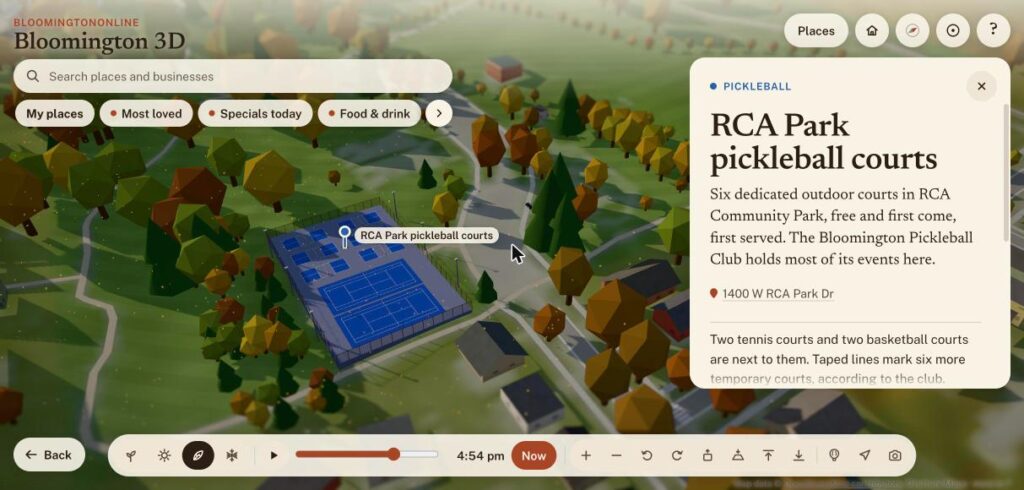
Sunday was a big day for the map. Pickleball and tennis courts are now drawn in 3D, with painted lines, nets, fences and light poles. RCA Park has its six pickleball courts, two tennis courts and the woods around them, and the Switchyard Park courts have string lights. Karst Farm, Park Ridge East and the IU Northwest courts are there too. We only drew courts we could confirm, so a few places that looked like courts on a satellite photo were left off.
RCA Park’s six pickleball courts and two tennis courts on the map.
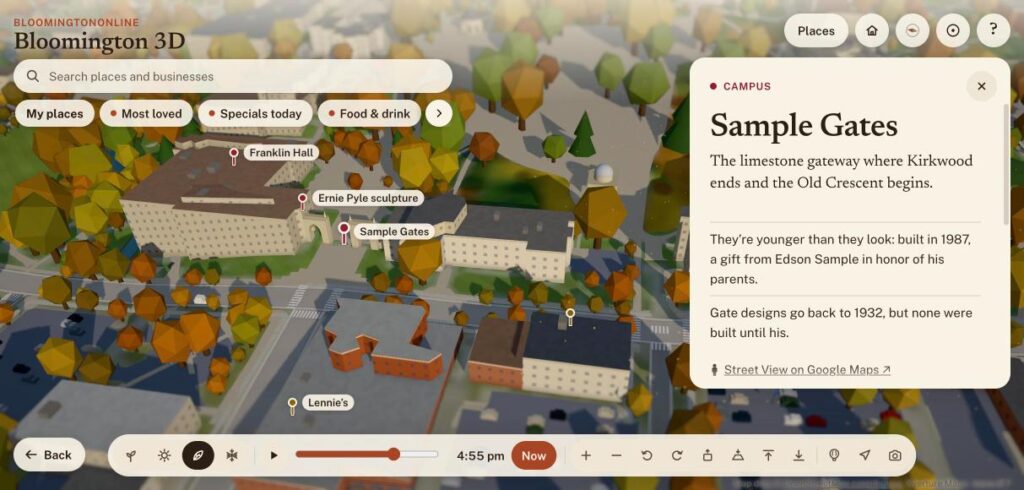
The bigger project was Indiana University. The map now has 26 more campus places, including the Indiana Memorial Union, Ballantine Hall, Franklin Hall, IU Cinema and the Hoagy Carmichael sculpture, with notes in our own words from IU’s public campus map. There are three campus tours based on IU’s own routes. The campus itself got paved: walkways and plazas, parking lots, bike racks, emergency phones that glow at night, and signs for accessible entrances and parking, all taken from IU’s public map data.
The Sample Gates and the Old Crescent on the map, with nearby campus stops labeled.
Any business or place that is a stop on a tour now says so on its directory page, with a button that flies the map to it. The Bluebird’s card also has a new button, See who’s playing, that flies up to its marquee.
Cleaning up the directory
We kept going on the directory refresh this weekend. We rewrote and fact-checked the listings for The Sip, Atlas, Blockhouse, Soma and its sister businesses, Bethel Lane Farm Stop and the five international markets, working from each business’s own website. We merged duplicates, moved listings out of categories that did not fit, removed a few we could not verify, and corrected addresses. We also added Enrich Barbershop at 126 E. 6th Street, a new listing.
As before, anything we could not confirm we left alone. A wrong phone number costs a local business a customer, so we would rather leave a listing thin than guess.
If you own a business here
Look yourself up in the directory and tell us what is wrong. Every page has a Suggest a correction link. If you have photos or changed hours, send them in. If you do not have a listing yet, adding one is free.
Every business page on Bloomington Online has a new layout today, and the 3D map has hot air balloons drifting over town. Working with Claude Code, we also built an obituaries page, rethought how a listing page should read, and put together a plan to bring the whole business directory up to date over the next few months. Here is what changed, with the screens to show it.
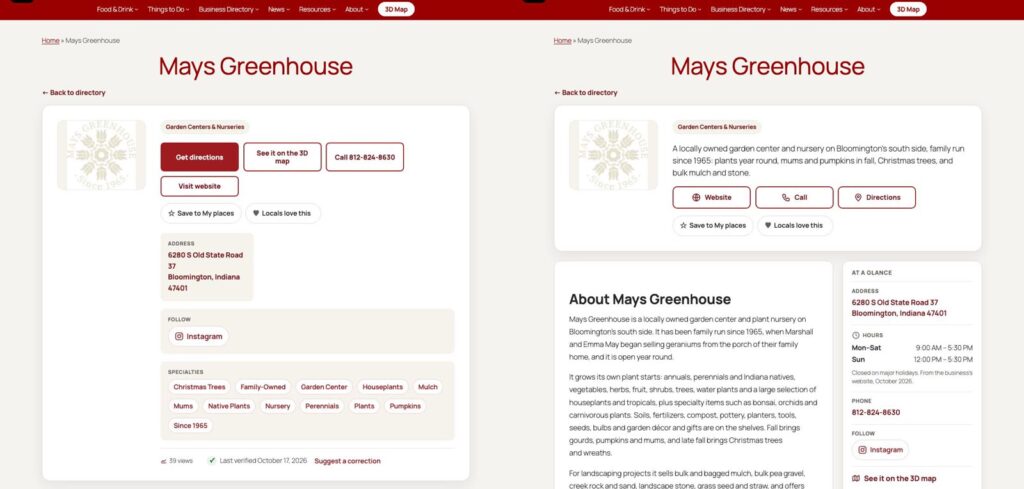
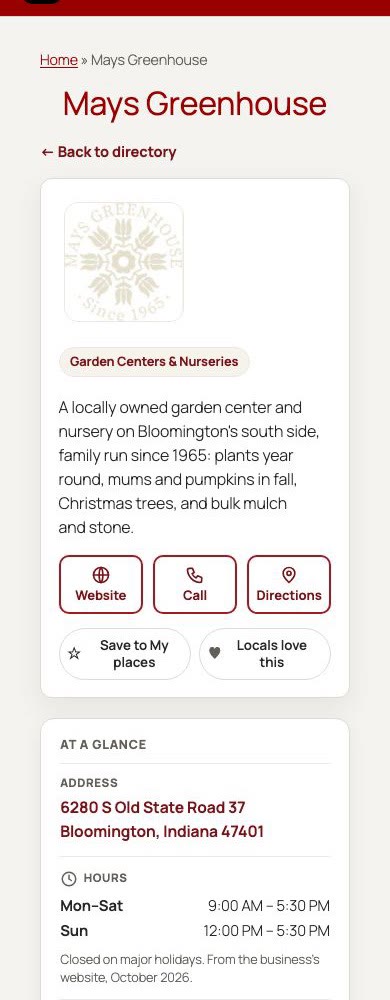
The business directory is the most important part of this site, so today I asked for a UX review of the listing page. The old page opened with four buttons of different sizes, and the address, links and tags were stacked in a column next to the logo. Someone who only wanted the hours or a phone number had to scroll to find them.
The new page opens with a short intro line in the first screen, then three equal buttons: Website, Call and Directions. Everything a person needs on the way out the door sits in a card called At a glance: address, hours, phone, social links, a link to the business on the 3D map, and when the listing was last checked. On a computer the card stays in view as you read. The description, photos and specialties fill the wider column beside it.
Mays Greenhouse before (left) and after (right). Same business, same facts, a clearer order.
On a phone the card moves to the top so the address and phone number come before the long description, and the buttons turn into big icons. We checked a sample of listings for errors and the page scores 100 for accessibility in Google’s Lighthouse test.
The same page on a phone. The buttons are large and the first screen already has the basics.
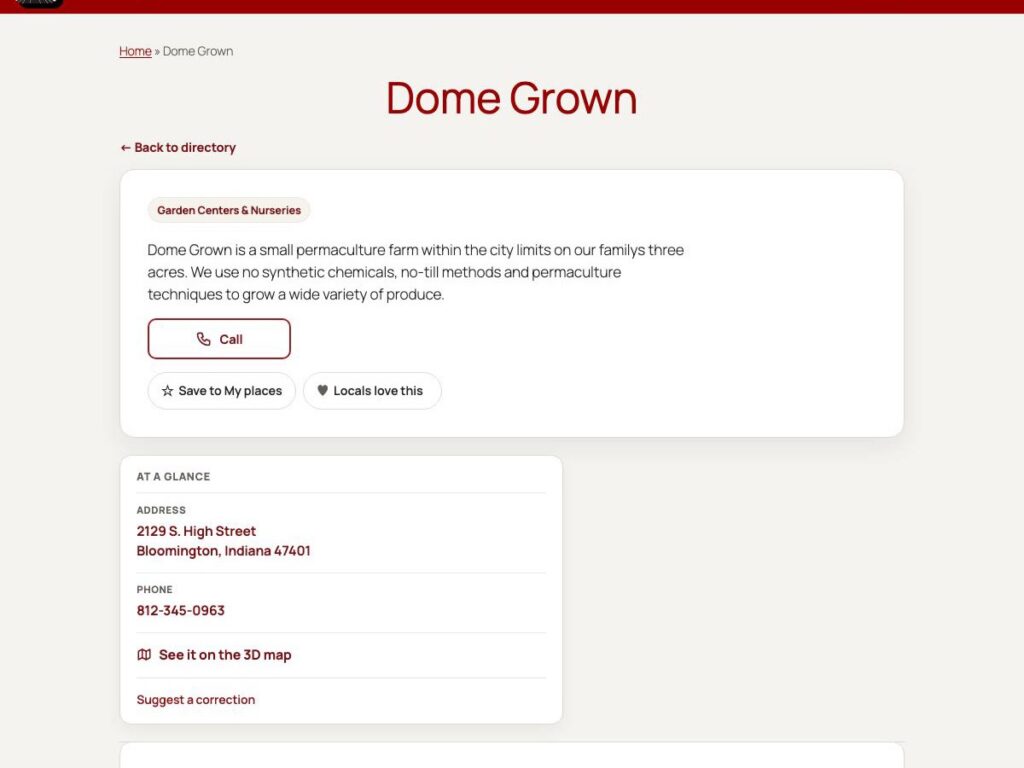
Not every listing has a logo, photos and a website, so we also made sure the page holds up when it does not. This one has only a phone number and an address, and the card simply takes the full row instead of leaving a hole.
A listing with no photos or website still looks finished.
One more thing is new behind the scenes: the page now counts taps on Directions and the 3D map link, alongside the website and phone taps we already tracked. Before this change, about 16 percent of listing visits ended with a tap on the website and 1 percent with a call. Now we can see whether the new layout moves those numbers, and we will check back in a couple of weeks.
Hot air balloons, and the birds of fall
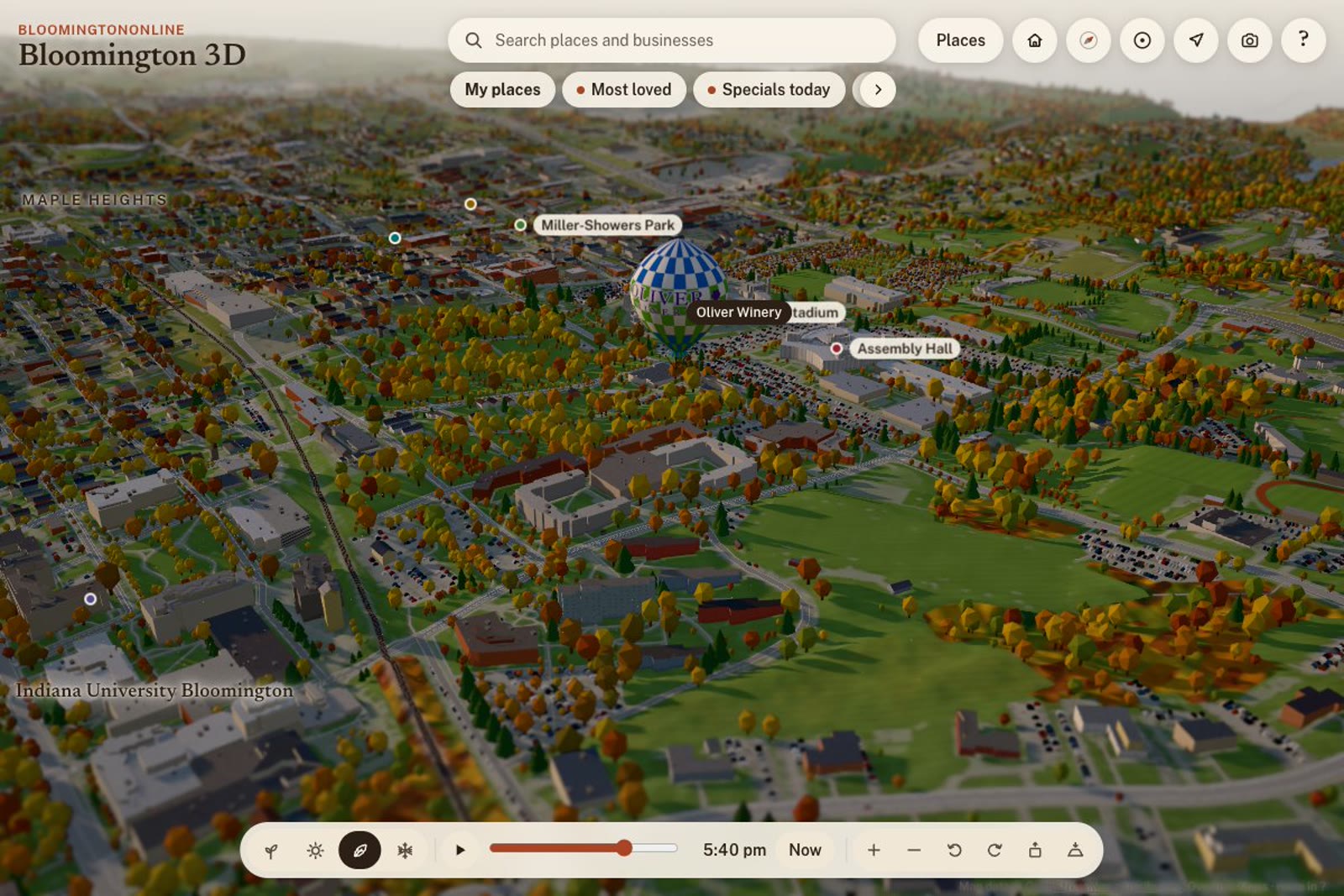
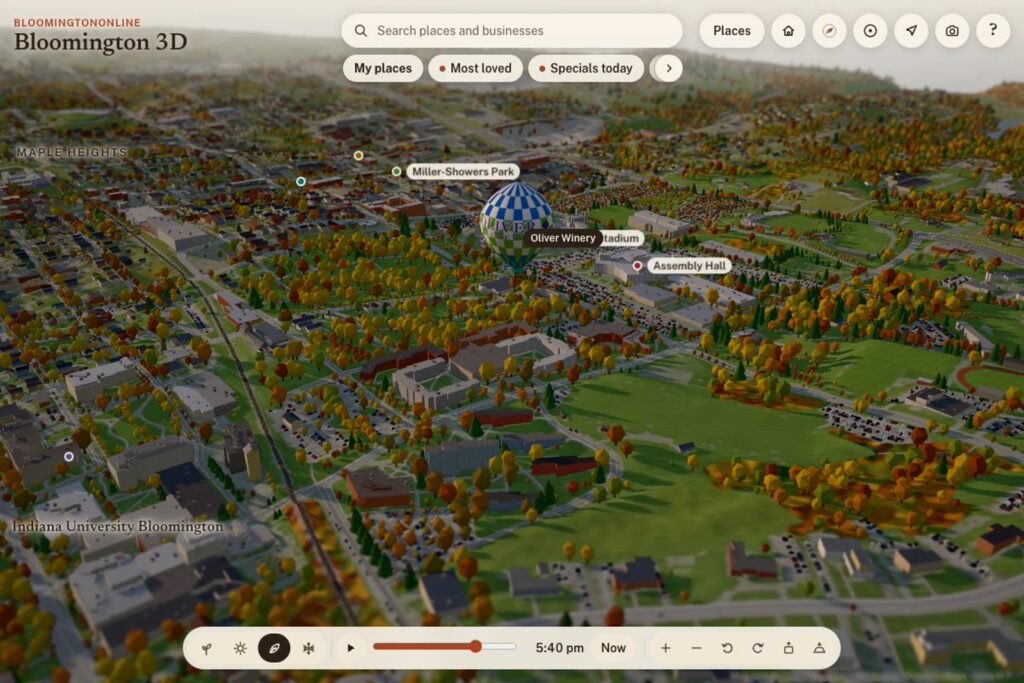
I wanted the map to feel livelier, and something specific to Bloomington. Fall is hot air balloon season here, so from mid September to mid November balloons now drift across the 3D map. Some carry a local business, such as Oliver Winery and Indiana University Credit Union, and one is a rainbow. Tap a balloon and its directory listing opens, so a bit of fun becomes a way to find a business.
A balloon carrying the Oliver Winery name floating over the IU campus, with the live clock showing early evening.
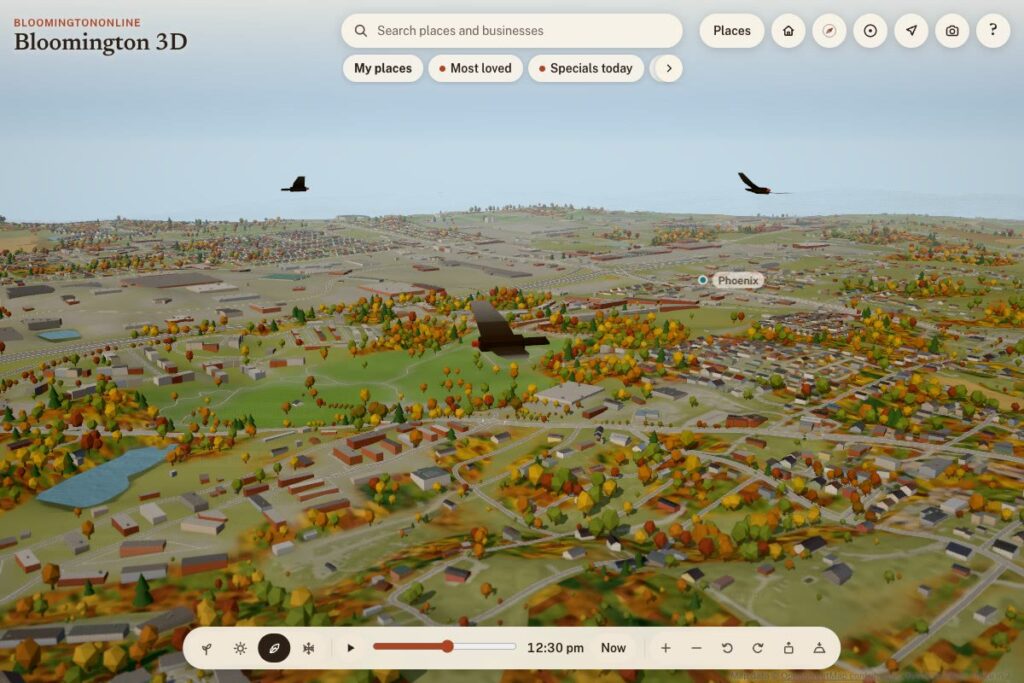
The sky has other visitors too. Geese pass overhead on their way south through November, turkey vultures circle until the end of October, and a small plane crosses now and then. Each is tied to the calendar and the map clock, so slide the clock to evening and you will see a different sky than at noon.
Turkey vultures circling over the south side of town.
We also stretched the edge of the map. A few businesses sit well outside town, like Oliver Winery, and used to have no pin at all. They now show up at the rim of the map with a link to their coordinates, so nothing is left off the map just because it is a few miles out.
An obituaries page, built carefully
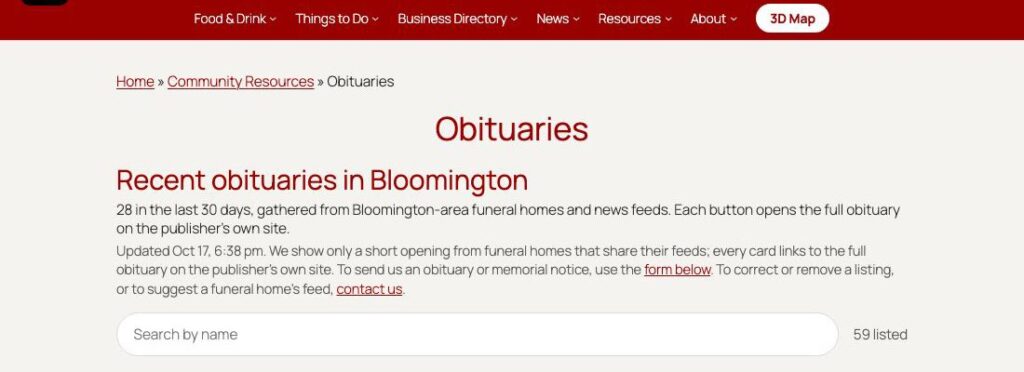
People look for obituaries here more than you might guess, so there is now a page for them under Resources. It lists recent notices from Bloomington-area funeral homes and news feeds, shows a short opening for each one, and always links to the full obituary on the publisher’s own site. A search box finds a name, and funeral homes have cards of their own. Families can send us a notice through a form, and nothing goes up until I approve it.
The page needs to be respectful, so we keep it plain and show only what the publishers share. The screenshot below shows just the top of the page. We left out the names on purpose.
The top of the obituaries page, with search and the explanation of where each notice comes from.
The weekly email now carries a link to the page as well.
A plan for the whole directory
There are about 2,500 businesses in the directory. When we counted, about 1,700 of them had only a thin description, around 2,000 had no image, and many had no tags. Traffic is small, so accuracy and timeliness matter more than anything else. A stale hour or a wrong phone number costs a local business a customer.
As a first test we refreshed 13 hardware stores and garden centers. For each one we read the business’s own website, rewrote the description in our own words, fixed the address and phone, added hours, tags and a logo, and added photos from the business’s own site with credit. The ones we could not verify we left alone and flagged for a phone call. We also wrote Gmail drafts to the owners, so they know what we changed and can correct us.
The plan is steady rather than fast: about 100 listings a week, the seasonal categories first, and a regular check for dead websites. It should take around 16 to 18 weeks, and I review a sample before anything bigger goes out. A wrong fact hurts a small business, so accuracy comes before speed.
If you own a business here
Look yourself up in the directory and tell us what is wrong. Every page has a Suggest a correction link. If you have photos you would like to show or hours that changed, send them in. If you do not have a listing yet, adding one is free.
Bloomington Online got a lot more useful this week for people who want to know where to eat tonight, and a lot easier for restaurants to be found. Today, working with Claude Code, we put every day's food and drink specials on its own page, built a form that reads a photo of a menu board and fills itself in, launched a $10 gift card giveaway, and put a new landmark on the 3D map. Earlier this week we also slimmed down the header and cleaned up the site. Here is what we got done, with the screens to prove it.
Earlier this week: a shorter header, so the content comes first
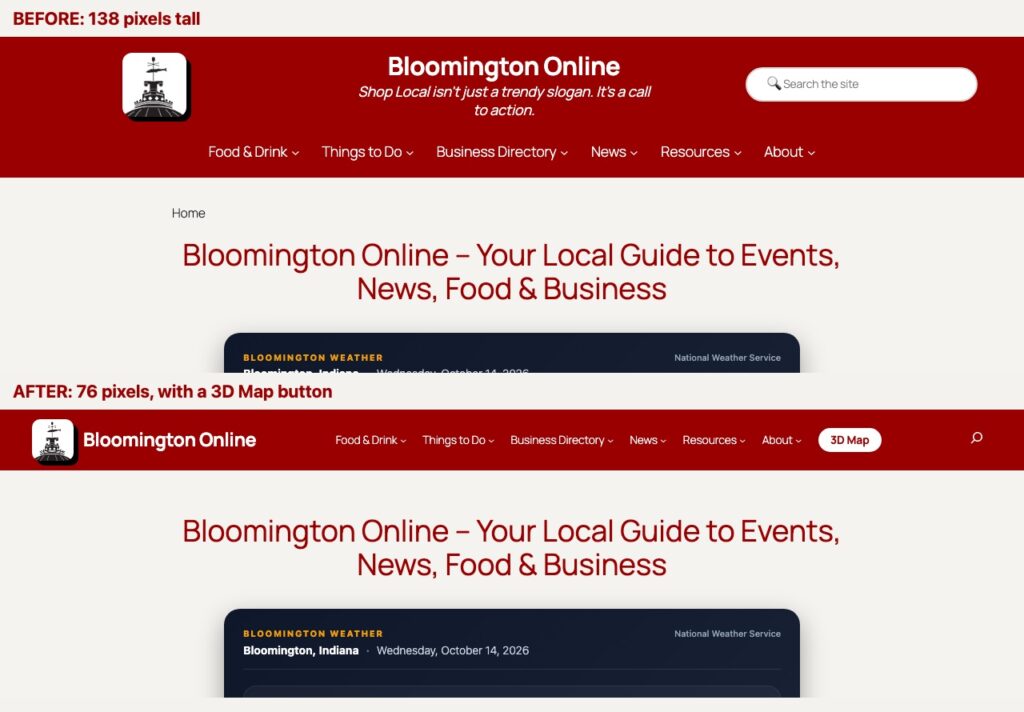
The old header was 138 pixels tall before you saw a single word of content, with a centered logo, a tagline, a search box and a wrapped menu. It now sits in one row at 76 pixels. The logo and name are on the left, the menu is in the middle, search is a small icon on the right, and the 3D map has its own white button so nobody has to hunt for it. On a phone it collapses into a tidy menu.
The header before (top) and after (bottom). Same menu, about half the height.
Every day of the week gets its own specials page
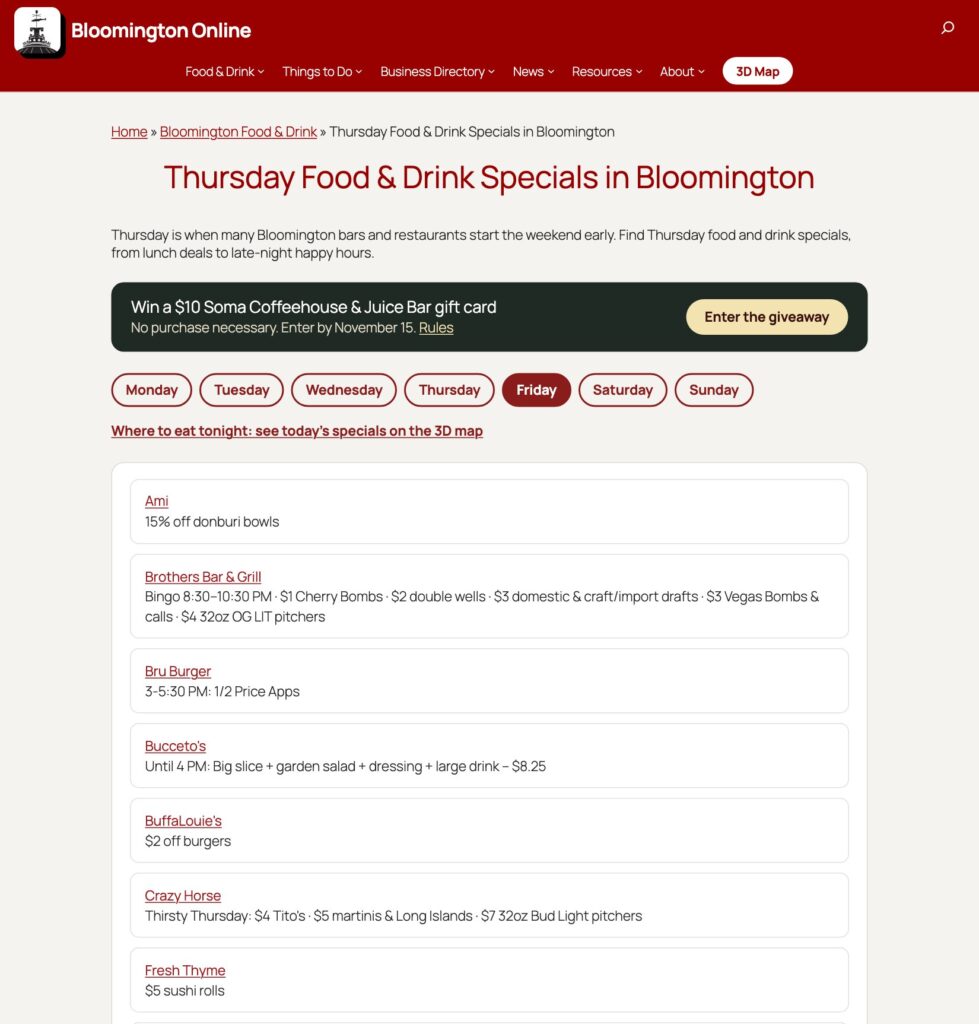
People don't search for "specials." They ask what's good on Thursday. So there is now a page for each weekday, with a day navigator across the top and a "Where to eat tonight" link from the main Food page. The pages draw on two sources at once: our Google Calendar of food and drink specials, and deals that local people send in. Thursday had 17 deals on it when we took this screenshot, and nobody has to edit a page by hand for any of them to appear.
The Thursday page, with deals from the calendar and from community submissions.
Post a deal by taking a picture
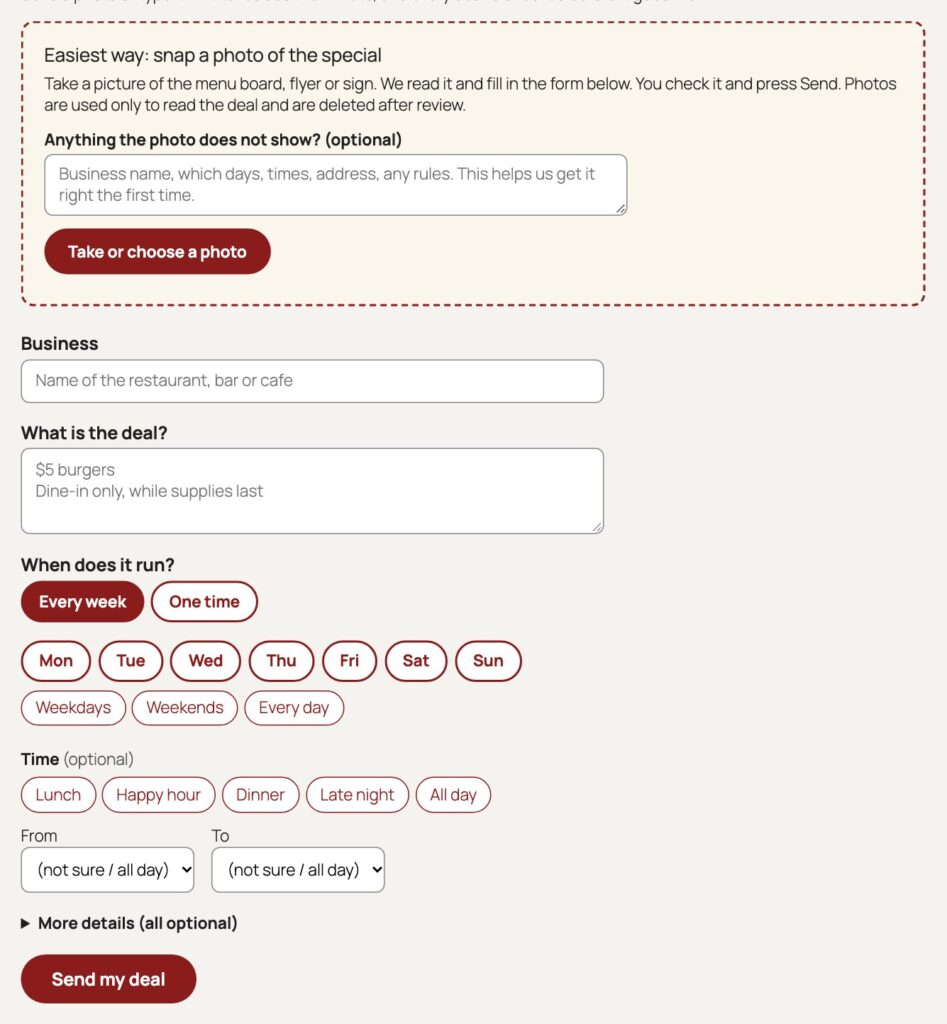
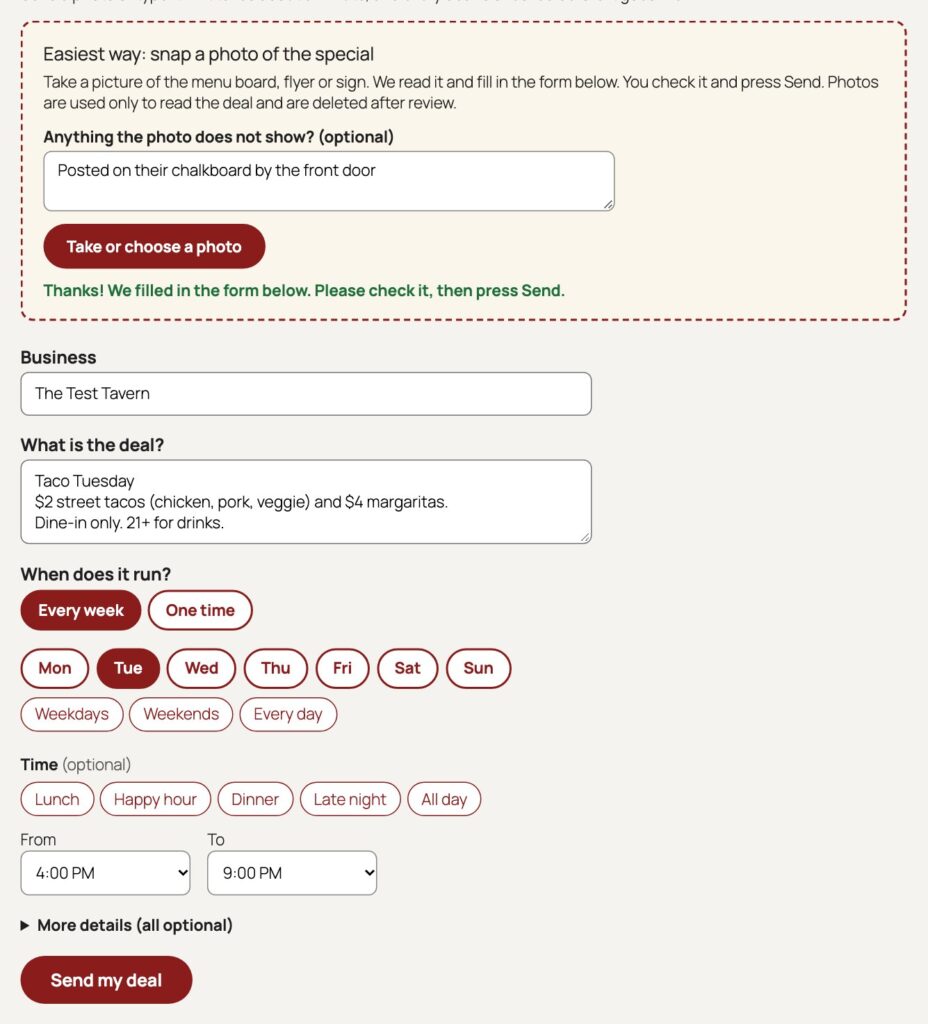
This is the part I like most. A restaurant owner, or any customer who spots a good deal, can open the Submit a Deal page and upload a photo of the menu board, flyer or sign. Claude reads the picture and fills in the form: the business, the deal, the days and the times. The person checks it, fixes anything that is wrong, and presses Send. They can add a note for context, and they can submit without giving a name.
Nothing goes live until I approve it, and the photo is deleted from the server as soon as the deal is approved or rejected. We tested it on a made-up sign for The Test Tavern, with an upstairs bar and a few specials. The first screenshot is the empty form. The second is what it looked like a few seconds after the photo went in.
The Submit a Deal page before anything is entered. One box for the photo, and everything else is optional.After uploading a photo of a sample sign, the form is filled in and ready to check.
Getting there took some honest debugging. The first version failed on a real phone screenshot because a script looked for a field before the form existed, and then a cached page carried a stale security token and said it had been open too long. We fixed both, made the form fetch a fresh token every time, and tested it in a real browser until it worked from start to finish.
A giveaway, and a reason to love your favorite places
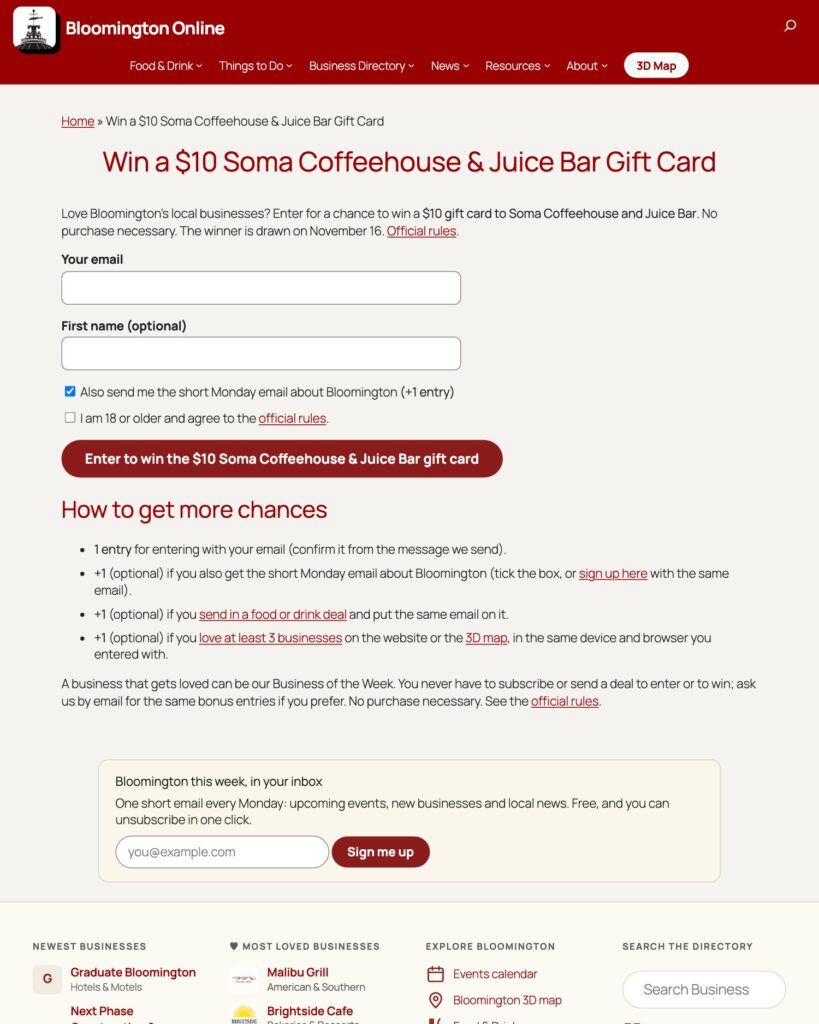
To get people to use the directory and the 3D map, we are giving away a $10 gift card to Soma Coffeehouse and Juice Bar. Enter with your email and you are in. You earn extra chances by confirming the Monday email, sending in a deal, or loving at least three businesses in the directory. Entries are capped at four per person, no purchase is necessary, and the drawing happens automatically on November 16 at 9 AM. The winner gets an email right away, copied to me and to the Bloomington Online inbox. We will change the prize from time to time so that other businesses get their turn.
The official rules are posted online, written with Indiana and Bloomington in mind. Soma is not a sponsor and we are not affiliated with them. It is simply a business we love.
The giveaway page, with the prize, the ways to earn entries and the rules.
Business of the Week
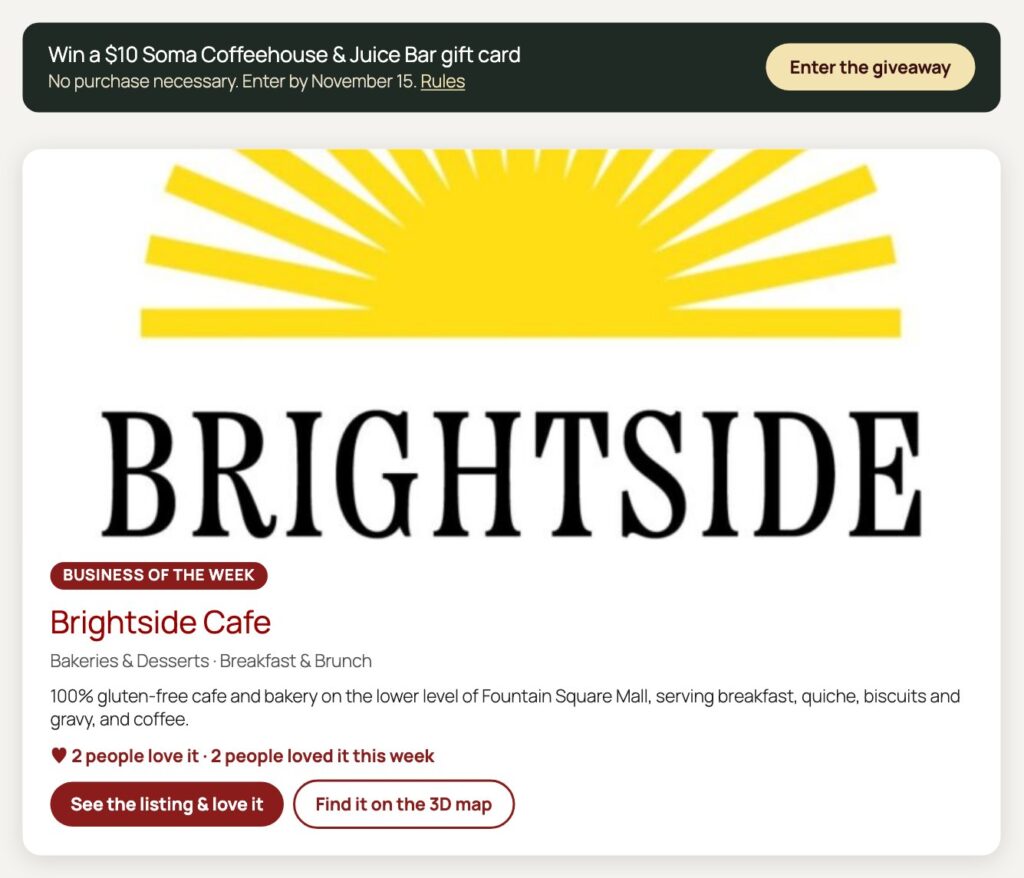
The homepage now features one local business at a time, chosen from the directory and rotated every week. It only picks listings that have a real photo and a proper description, because we learned the hard way that a card with a cut-off sentence and no picture does nobody any favors. This week it is Brightside Cafe, a 100% gluten-free cafe and bakery on the lower level of Fountain Square Mall.
Business of the Week on the homepage, with the giveaway banner above it.
A weekly email, with consent that respects you
People can now get a short weekly email on Mondays with local food and drink deals. Everyone who signs up confirms by email first. We also added a simple cookie banner that lets you decline analytics, and on the 3D map it remembers your choice.
Paper in the real world
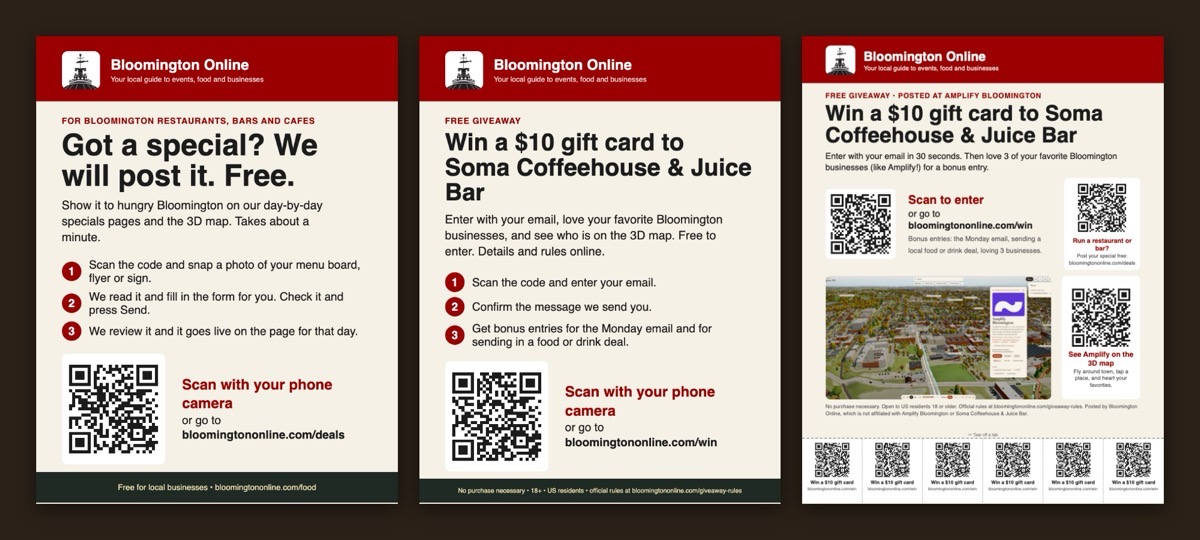
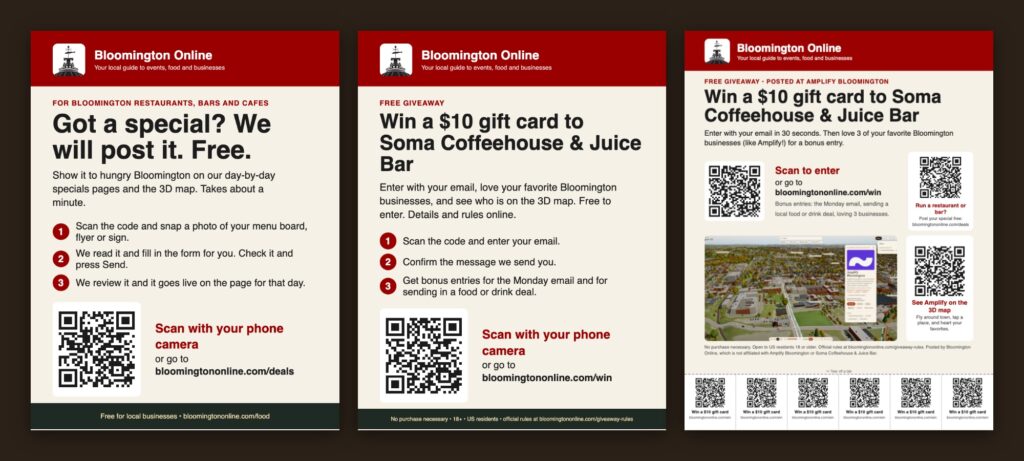
Not everything happens on a screen. We made a poster for restaurants ("Got a special? We will post it. Free."), a giveaway flyer, and a flyer for Amplify Bloomington, the coworking space, which includes a screenshot of Amplify on the 3D map and three QR codes with tear-off tabs. Each QR code goes to a different place: the giveaway, the deal form or the map.
Three print pieces, ready to hang up: the restaurant poster, the giveaway flyer and the Amplify Bloomington flyer.Amplify Bloomington, found on the 3D map.
A local legend on the map
We also added Shalooby's to the 3D map, at 405 E Kirkwood Ave in the old Cafe Pizzeria location. It is marked as a "Local legend" landmark rather than an ordinary listing, because Shalooby's is a fake restaurant from 2024 that Bloomington took to heart, and that deserves more than a normal pin.
Earlier this week: cleaning up and measuring what matters
Not every improvement is visible. Along the way we removed 111 fake accounts that bots had registered, took spam links out of 12 business listings, and made the events pages pass Google's structured data test, so Bloomington events can show up properly in search. We also set up better analytics. One thing the numbers showed: of 18,192 page views, 11,912 (65 percent) came from Singapore, and those visitors averaged zero seconds of engagement, compared with 26 seconds for everyone else. That looks like automated traffic, and it means our real audience is smaller, and more interesting, than the raw total suggests.
Dave also set up GitHub Actions so the 3D map can be deployed to the server from GitHub, not just from one laptop.
How it was made, and what's next
All of this was built by working with Claude Code in the terminal, one request at a time. I would describe what I wanted, we would build it, check it in a real browser, and fix what was wrong. Some of the best ideas came from questions like "Is there anything else you would add?"
Next up is the 3D map itself. Thirteen species of birds are being added as animated models, so the town will have something to watch besides cars. Meanwhile, if you run a business here, send in your special. If you love a place, tell us, and you might win coffee.
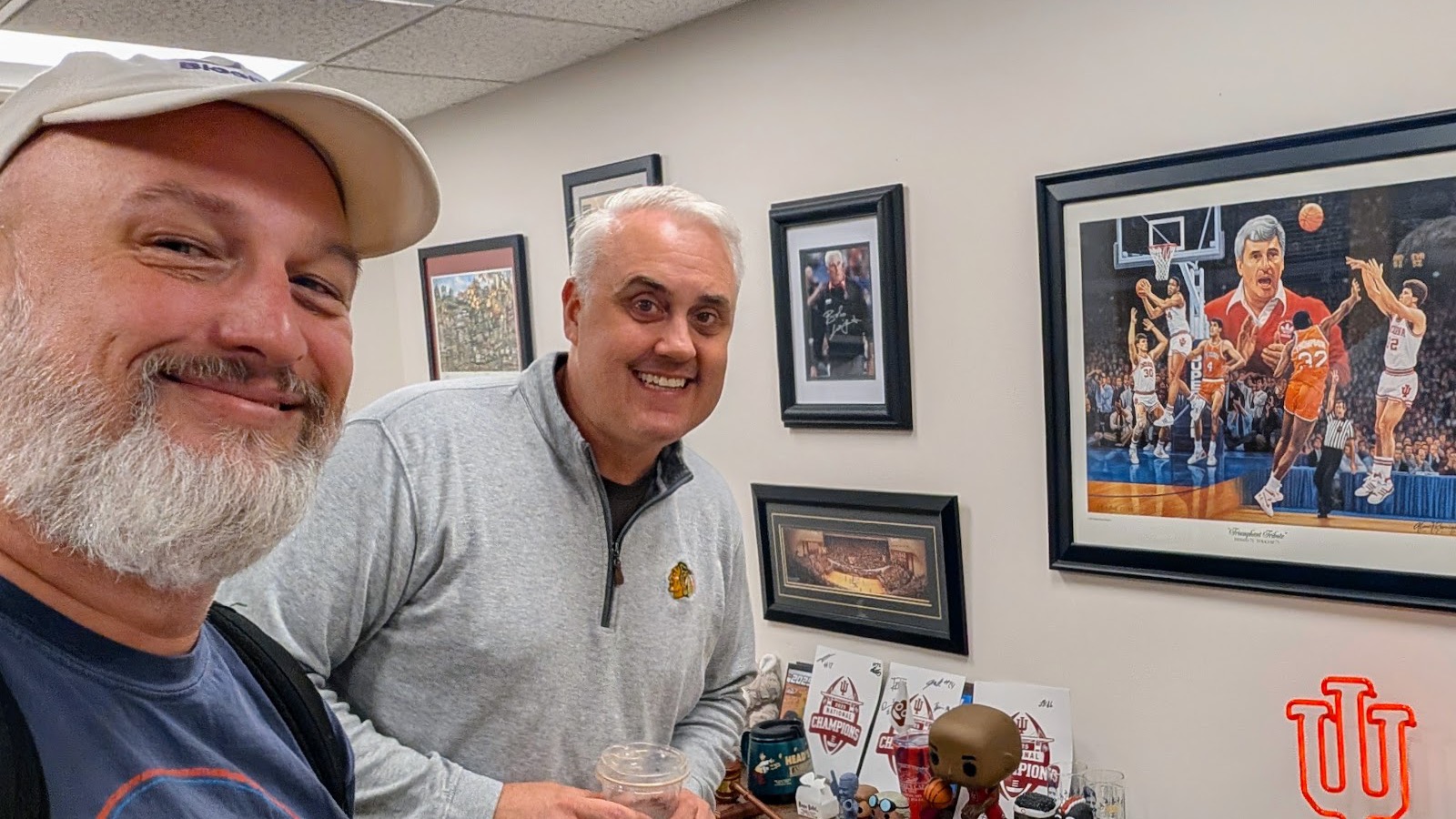
This morning I made a trip into the city to meet Andrew Lambert, the consultant behind Lambert Consulting and the host of the Mind Yo' Business podcast, and show him what I built on Bloomington Online over the last three days. He pulled up his own business listing in our directory. It was there, but it was nearly blank. This post is a thank-you to Andrew for the work he does in our community, and an account of how we fixed his listing and then rebuilt the south side of the Courthouse Square from a pile of photographs.
Andrew started his advertising agency in 2010 and launched the Mind Yo' Business podcast in 2017. Lambert Consulting helps owners with traditional marketing, digital advertising, websites and hosting, and one-to-one consulting. The podcast has run for nine seasons and is often recorded live in front of an audience at Morgenstern Books on South Auto Mall Road. Season 9 this year has included conversations with Brian Dorsey of Meineke Car Care Centers, the team at Brightside Cafe, Jordan Davis on food and festivals in Bloomington, and Kaytee Lorentzen on the Chamber of Commerce.
The Greater Bloomington Chamber of Commerce profiled him in April as part of its Small Business Series. It describes a former professor and stand-up comedian who wanted interviews to feel like a real conversation, with very few scripted questions and room for the mistakes and pivots that most people leave out. His idea of being "selflessly selfish" is that you can chase your own success as long as you create value for the people around you, and his advice to people starting out is to be real, stay flexible and take action.
He also gives back. On his own site Andrew says he served as Marketing Director and then President of the Monroe County Autism Foundation, founded in 2011, and as an advisor and contributor to the Katie and Victor Root New Hope Scholarship at Ivy Tech Community College, which helps adult learners return to school. He is the author of Be the Lime: An Insider's Guide to College.
If you own a business in Bloomington and you haven't heard the show, start with the episodes. If you need help with your marketing or your website, he is a good person to call.
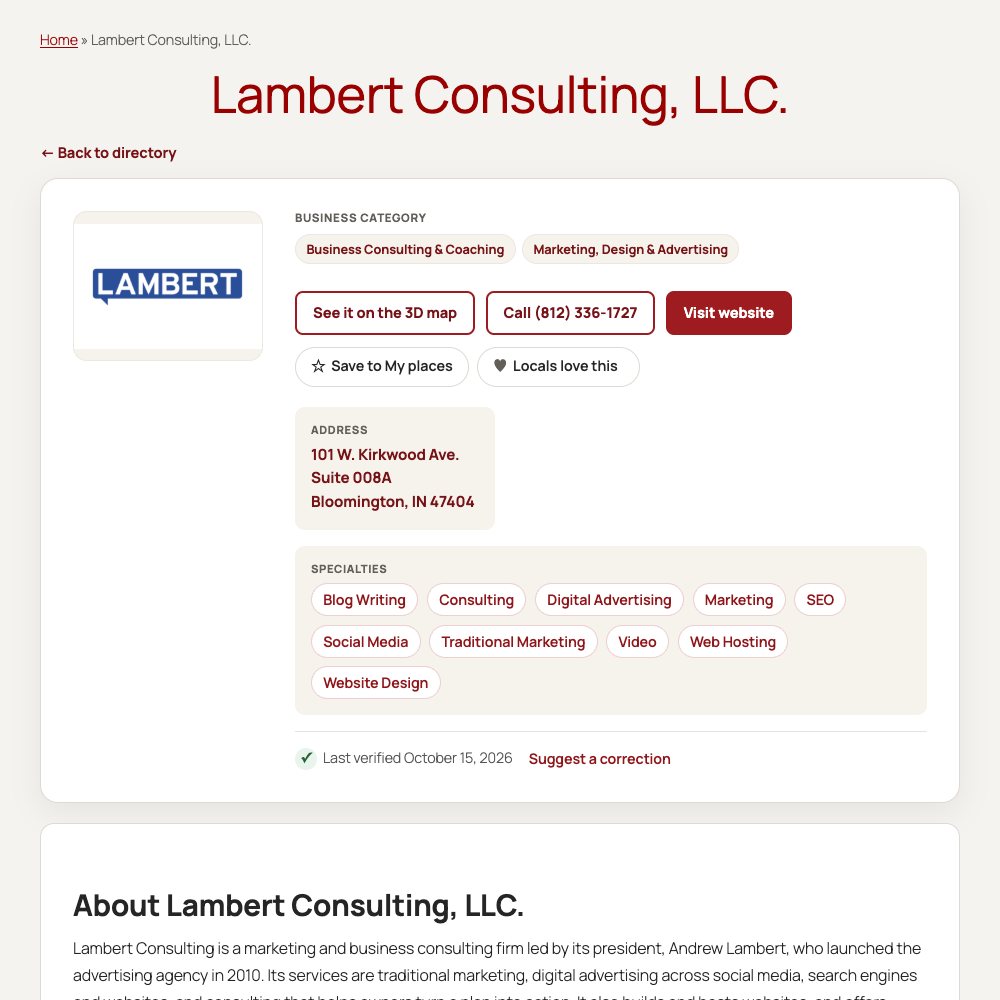
Andrew's listing in the Bloomington Online directory today.
The blank listing
When Andrew looked himself up in our directory, he found a one-line placeholder that had been generated automatically when the directory was first filled in. That is the kind of thing I have been cleaning up all week, and it was a good reminder of how many businesses are in the same position. So we fixed it. I opened Claude Code in the Terminal, told it whose listing to improve, and it read his website and the sources about him, then wrote the description, added his logo, set the categories and tags, and corrected his website address. Every sentence in it traces to something he or a reputable source has published, and the old text is backed up. His podcast's listing, which was also a placeholder, was rewritten the same way and moved to the media category where it belongs.
That is the whole method. I describe the job in plain English, the assistant does the research and the typing, and I decide what goes on the site. A written note, a link, or a photograph is enough to get it started.
From eighteen photographs to a courthouse
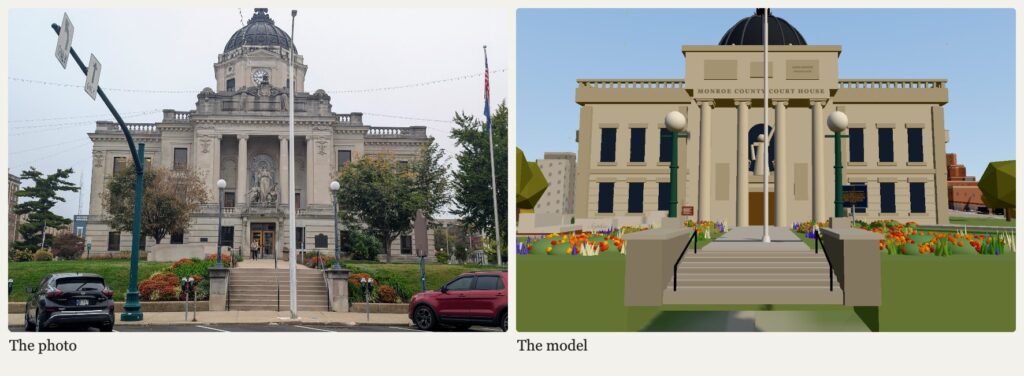
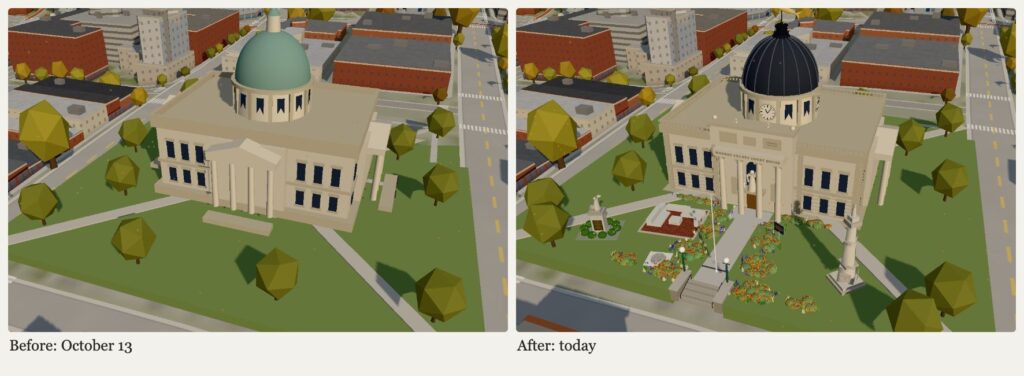
The part of the demonstration I enjoyed most was the photographs. The previous version of the courthouse in Bloomington 3D had a copper-green dome and a front with steps up to the doors. It was a fair miniature, but it was a guess. So I walked around the Courthouse Square and took eighteen photos: the south front, the stairs, the flower beds, the plaques, the stores across Kirkwood Avenue, and the fish on top. I gave them to Claude Code and asked it to make the model match.
The south front of the courthouse, in my photo and in Bloomington 3D.
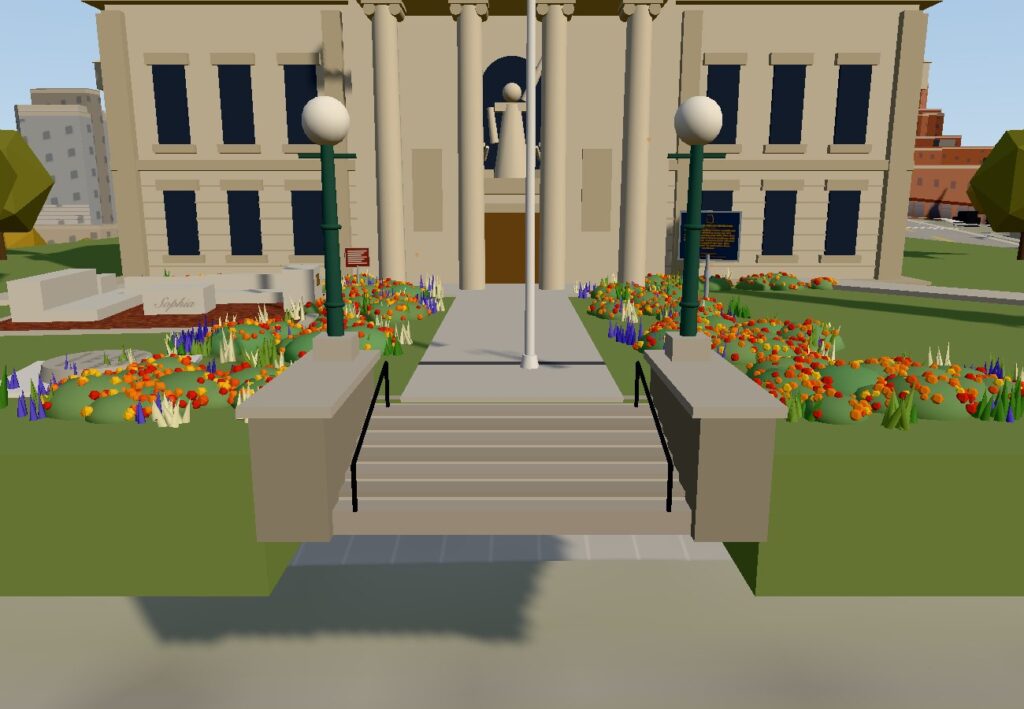
The photos corrected the model right away. The real courthouse has no steps at its doors. The long flight of stone steps with cheek walls and green lamp posts is down at the street, and a concrete walk crosses the lawn from there. The dome is dark and ribbed, with a clock on each face of the tower and an ornate crown at the top. The model now follows all of that, along with the lettering on the building, the "Anno Domini" panel, and the group of limestone figures over the entrance.
The Courthouse Square before and after.
The details on the lawn
The photos also showed what is on the lawn, and all of it is in the map now. A state historical marker stands beside the walk with its text about the 1818 log cabin and the brick courthouse that stood here until 1906. There is the Women in Government Plaza, with its stone benches and the block carved "Sophia," and a stone marking the Center of Population. A limestone memorial to county commissioner Warren Henegar, dedicated in 2013, carries its plaque and the words "Make me an instrument of Your peace." A tall war memorial topped by a soldier stands on the south lawn. The beds along the walk are full of orange and red flowers with blue salvia.
The steps at Kirkwood Avenue, with the lamp posts, rails and flower beds.
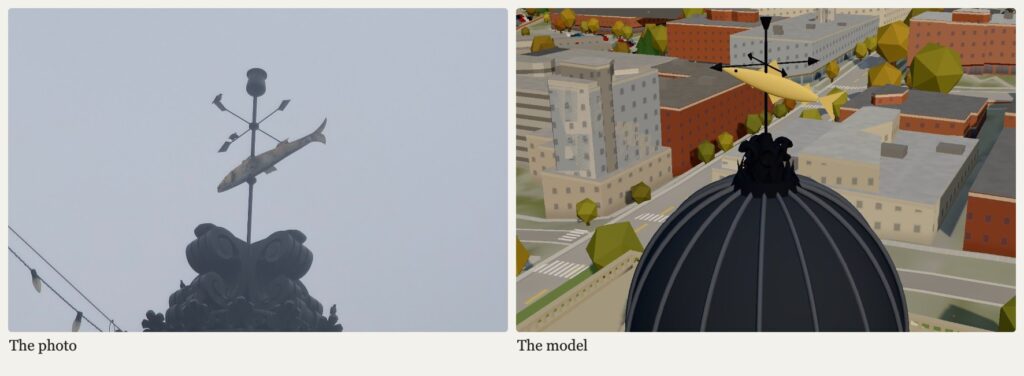
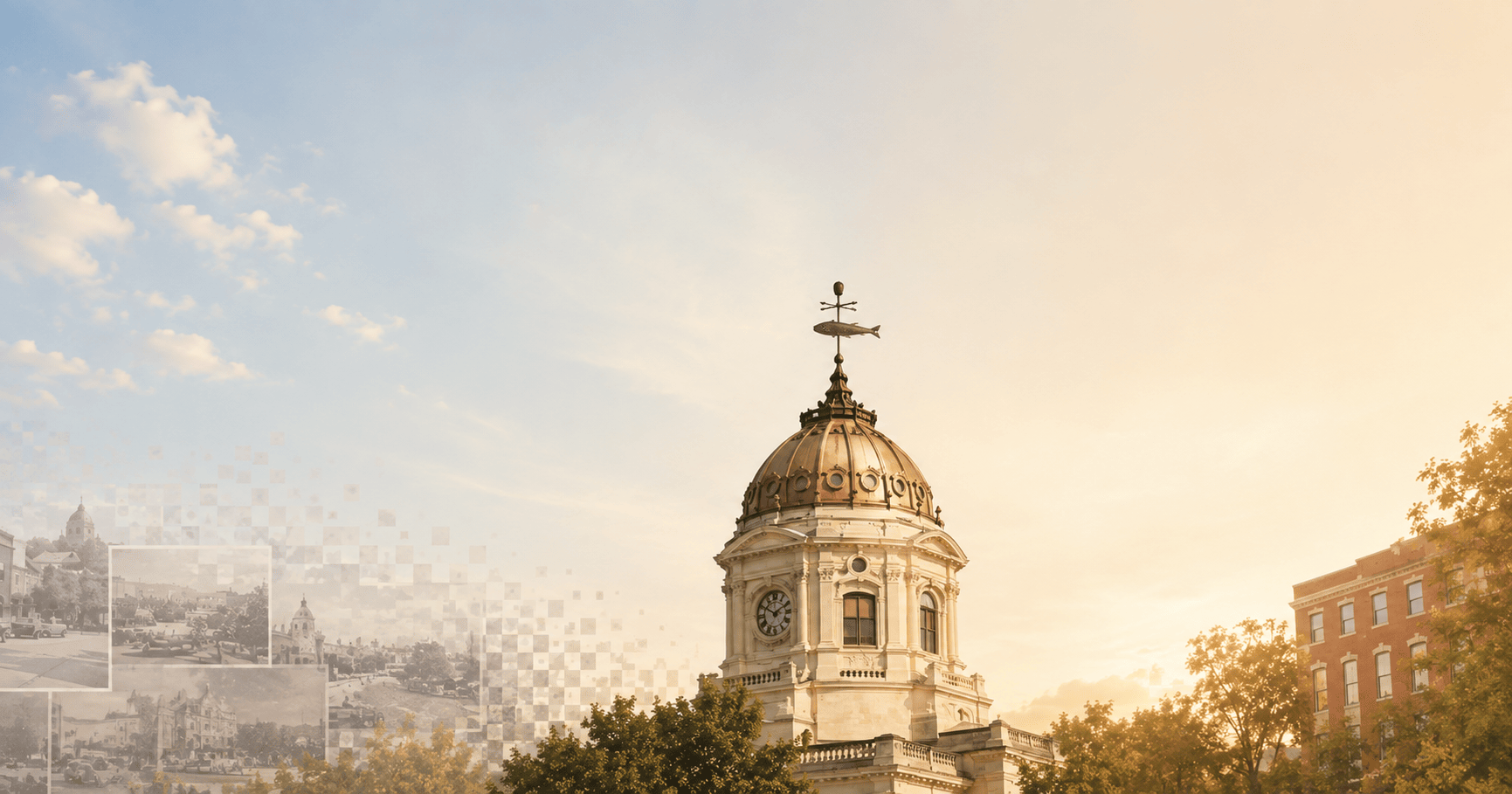
And the fish. Its weathervane is a long slim fish with a forked tail on a pole with four arrow-tipped arms, and the dome beneath it ends in a crown of leaves and scrolls. The old model had a plump fish on a lantern, so we rebuilt it. The fish swings slowly on its pole, as a weathervane should.
The weathervane on top of the courthouse, in my photo and in the model.
Across Kirkwood Avenue
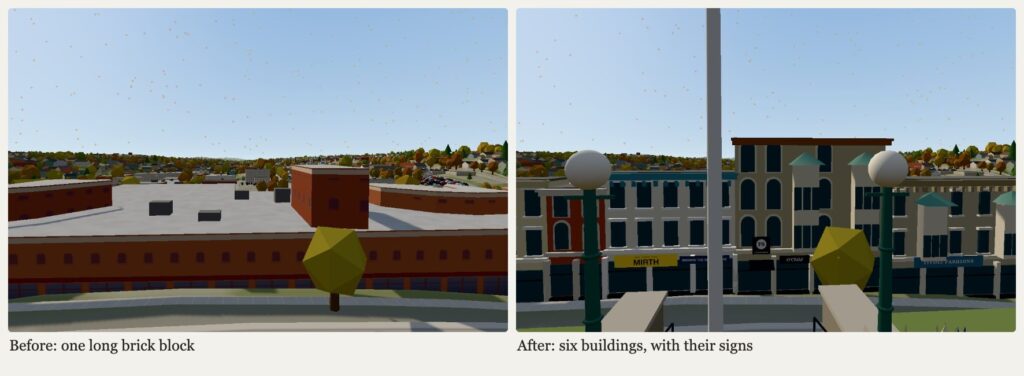
The storefronts were next. The old map had a single long brick building across from the courthouse. In reality it is six, each with its own color and character, so each one got its own front: the white building with blue-trimmed arched windows and the cream one beside it over Andrew Davis menswear and formalwear, a narrow red-brick building, the cream building with the teal cornice over Mirth and its "Browse the shops inside" sign, the tall limestone Fountain Square building with its black awning, O'Child and #skullznbunniez, and the limestone building with the oriel windows over Tivoli Fashions.
The stores across Kirkwood Avenue before and after.
These are still miniatures. The shapes and colors come from photographs taken from the lawn, so they are close but not exact, and the buildings along the rest of the Square are next.
How it works, in case you want to try it
I take photographs or write down what I want, and I put them in the Terminal where Claude Code is running.
It reads them, writes the code or the listing, and renders the result in a browser so it can check its own work.
I look at what it made, point out what's wrong, and it fixes it. Every change has a backup, so anything can be undone.
The listings follow a rule: no fact goes in unless it comes from a source I can point to.
AI makes mistakes, and today's first attempt put steps at the courthouse doors because that seemed reasonable. Photographs are what fixed it, and they are what I'd ask you for if you'd like your own business or building to look right on the map.
Visit, and say hello
Open Bloomington 3D and walk up to the courthouse from Kirkwood Avenue. Then look up Lambert Consulting and the Mind Yo' Business podcast in the directory. If you own a business, make sure your listing is correct. If it is not in the directory yet, let me know and I will add it. Thank you, Andrew, for the time and for the good work you do for Bloomington.
Yesterday we told you how Bloomington 3D came together in two days. Today was about everything behind it: the business directory. We rewrote hundreds of listings from sourced facts, rebuilt the category system so businesses are where you would look for them, added a way to see what is popular, and tuned the map so it follows the new categories. Here is what changed and why.
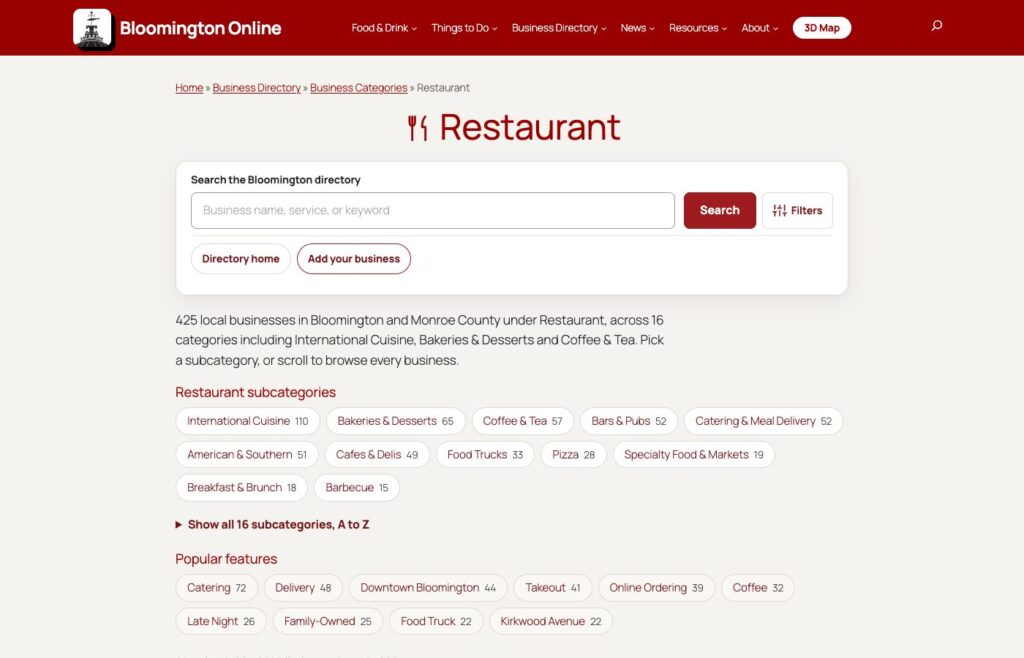
The Restaurant page now has 16 clear groups, with a count of businesses in each.
Why we started with the directory
Bloomington 3D shows every business in our directory on its building. That made the weak spots obvious. Many listings had a one-line description copied from an import. Some businesses had closed. Some websites had been taken over by spam. And the same restaurant could sit in four overlapping categories, so you could not tell where to look for pizza, or sushi, or a coffee shop that also bakes.
So today we did a cleanup, in four parts.
1. Food listings, rewritten from sources
The food and drink listings came first. For each of the 480 listings, we researched the business from its own website, its social pages, local news and guides. Then we wrote a new short description and a fuller write-up, fixed the categories, and added photos and logos where we could find them.
One rule made this safe: every fact in a description had to come with a source link and the exact words from that page, and a script then re-opened each page to confirm the words were really there. A sentence that could not be confirmed stayed out. If a business could not be confirmed as open, we did not rewrite it.
The result: more than 250 listings were rewritten and are live. The ones we could not verify were held back and reviewed one by one. About fifty listings that were closed, duplicated or not really in Bloomington were removed or merged, and every old web address for a merged listing now sends you to the one that is left. We also cleared the website link on a handful of listings where the old site had been taken over by an unrelated spam or gambling page.
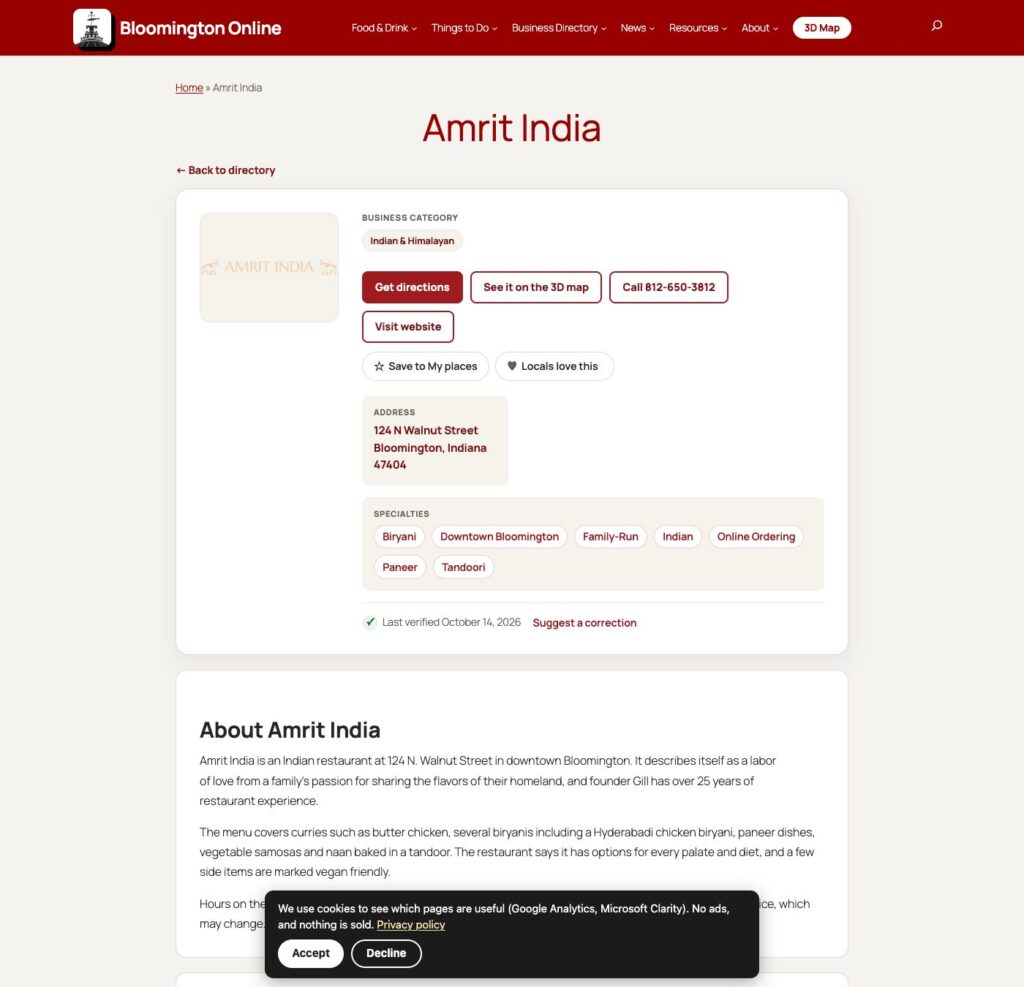
A rewritten listing: cuisine category, directions, the 3D map, specialties as tags, and the date it was last verified.
2. Categories that make sense
Under Restaurant there were 48 overlapping subcategories. We looked at how Visit Bloomington groups dining, how Yelp splits food from nightlife, and how our own listings had been tagged by several imports over the years. Then we reorganized: 16 groups, including American & Southern, Barbecue, Pizza, Breakfast & Brunch, Bakeries & Desserts, Coffee & Tea, Bars & Pubs, Breweries, Food Trucks, and one International Cuisine group that holds eight cuisines from Mexican and Latin American to Japanese & sushi.
Then we did the same for everything else. The non-food categories went from about 313 to about 145, grouped under nine sections. The big catch-all, Professional Services, held 275 listings from a single import, with banks, law firms, insurance agents and car dealers all mixed together. They now sit in their own categories. More than 700 listings moved to a better home, and the number of listings with no category at all dropped from 141 to 26.
Tags got the same treatment. There were about 2,500, and most were used once, or just repeated the category name. We cut them to about 1,400 and fixed the capitalization.
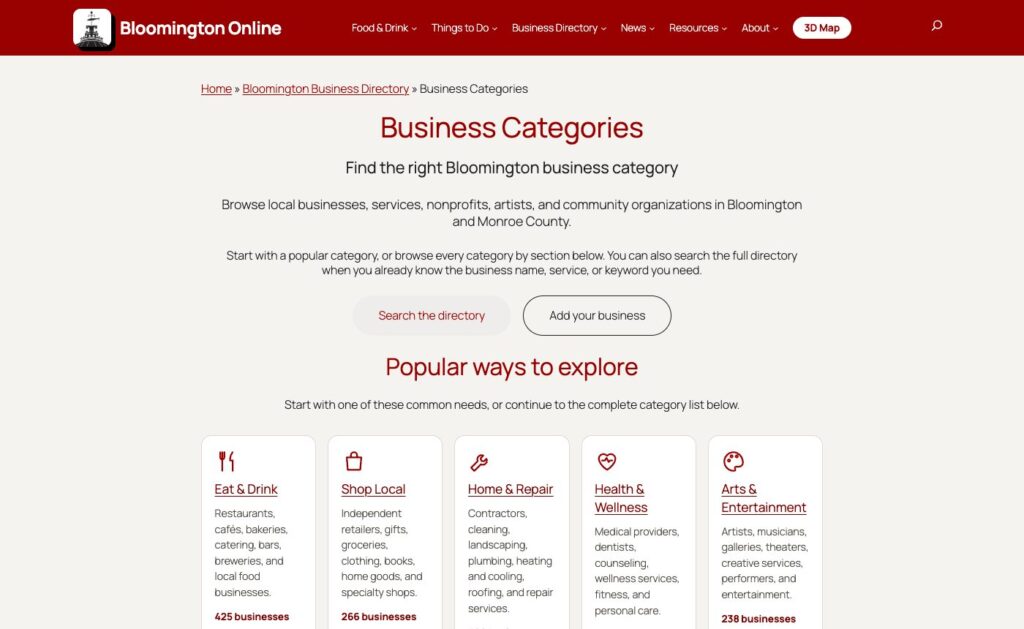
The categories page lists every category by section, with live counts.
3. Category pages that help you choose
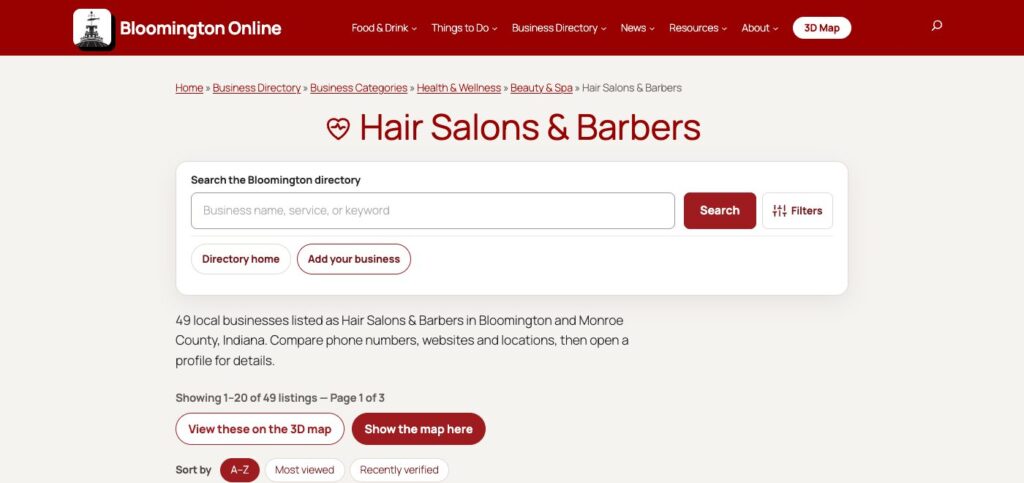
The category pages got a redesign too. Each now opens with a plain sentence about what is in it, subcategory chips, related categories and popular features such as Takeout, Online Ordering or Family-Owned. You can sort by A to Z, most viewed or recently verified, and long lists scroll without page buttons. A button on every category opens just those businesses on the 3D map.
A category page with search, a count of businesses, sorting, and buttons for the 3D map.
4. What people love, and what is new
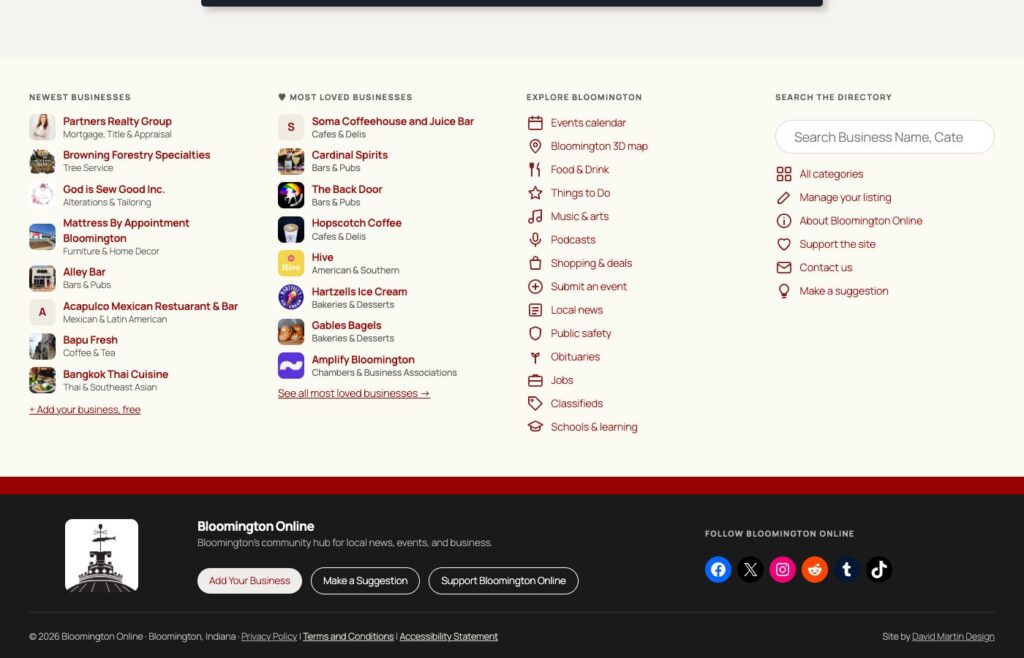
The footer now shows Most Loved Businesses and the newest businesses side by side, each with a photo or logo and its category, so a visit can start with what other people like. Listing cards also show a small visits count once a business has been looked at enough times for the number to mean something. Business owners get a traffic panel on their own listing that nobody else sees.
The new footer: newest businesses, most loved businesses, and links to explore Bloomington.
5. The map follows the new categories
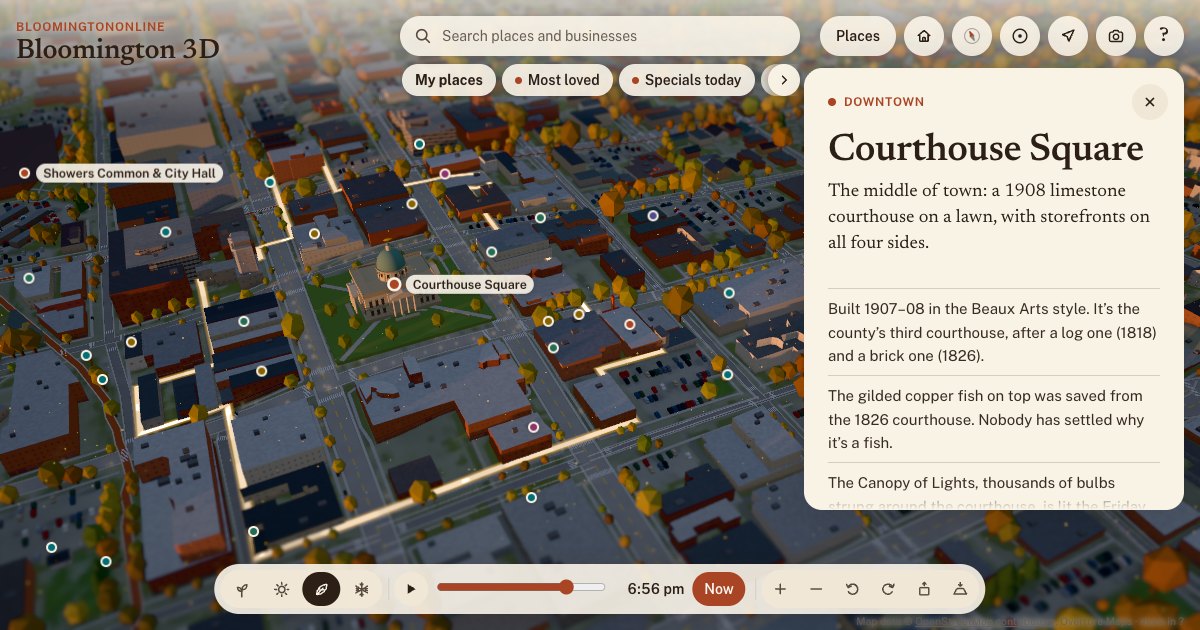
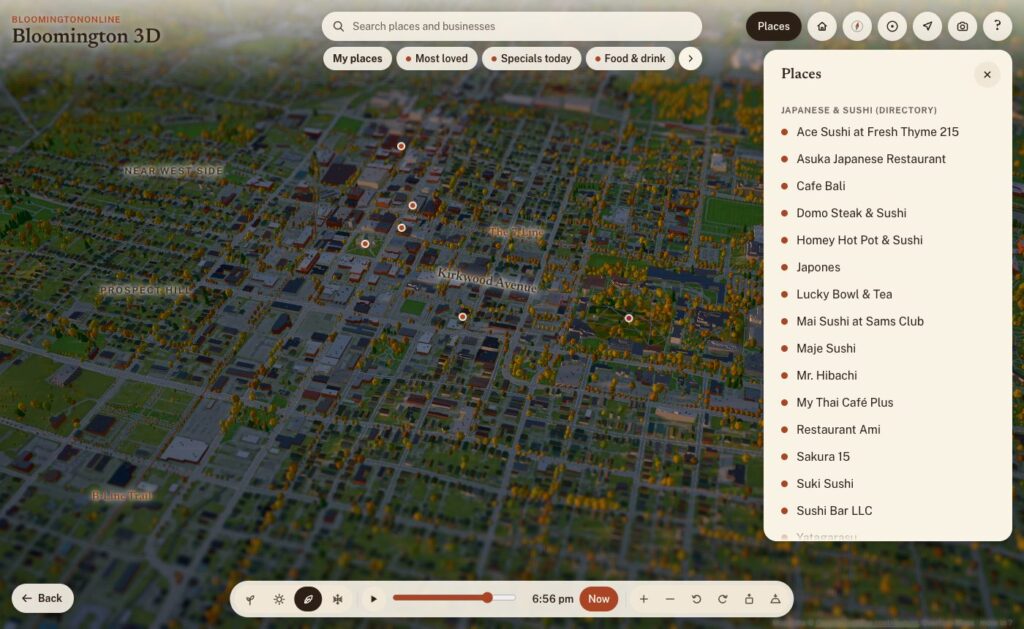
The 3D map groups its businesses by category, so we updated it to match. The chips along the top, such as Bars & pubs, Japanese & sushi, Bakeries & desserts, Coffee, Pizza, Breweries and Food trucks, now follow the reorganized food categories. Tap one and the pins and a list appear. The search box also finds businesses by tag and category and shows the short description on each card.
A few other things landed on the map today:
A Show where I am button, so you can find yourself in town. It uses your location only on your own device while you press it.
Specials today: daily food and drink specials from a calendar we keep of Bloomington bars and restaurants.
An Edible trees layer, built from the City and IU tree inventories after a reader pointed us to a community map of fruit and nut trees.
Most loved lists, and hearts and stars on directory cards. Votes are checked by Cloudflare Turnstile so one person cannot pile on, but it stays easy to love your favorites.
Tap a category chip and the matching businesses appear on the map and in a list.
6. Behind the scenes
Some of the work does not show on the page, but it is what makes the site findable.
Search engines now get specific labels. A dentist is marked as a dentist and a hotel as a hotel, and the directory keeps those labels working after the category renames.
Old addresses are redirected. Merged categories and tags, retired listings and old pages now send you to the closest live page instead of a dead end.
Pages are faster. Google’s Lighthouse test scores the home page 98 for performance on a phone, up from the 70s and 80s, and 95 to 97 for accessibility.
The new compact header puts a 3D Map button in the main menu.
We also added anonymous usage statistics to the map today, and this changes something we said yesterday. Bloomington 3D now uses Google Analytics to count what people tap, search for and share, so we can fix what is confusing and build what people use. It does not collect names or email addresses, and your saved places still stay on your own device. Our privacy policy explains how analytics are used.
The statistics already taught us something: about half of last month’s page views on the site were not people. They were automated bots, mostly in two short spikes in September. Knowing that makes every other number more honest.
How it was made
Like yesterday, this was a collaboration with AI. Several Claude Code agents worked side by side: one researching businesses, one reorganizing categories, one on the page design, one on analytics and redirects. Every change was saved with a backup first so that anything could be undone, and a person made the calls on anything uncertain. We got some things wrong along the way. The first time we nested the old categories under the ten top-level sections, we filed Aviation under Fitness. A day of looking at the live pages caught it, and it is fixed.
What is next
Researching the listings we could not verify yet, and finishing the last unclassified restaurants.
A short email digest of what is new and what is happening in town.
A way for business owners to claim and complete their own listing.
More of the 3D map: events, live weather and more guided tours.
Take a look around. Browse the new categories, open the map, and love a few favorites. If something is out of date or in the wrong place, use Flag this listing on any business card, or tell us. We read every one.
Two days ago there was no 3D Bloomington. Now there’s one you can fly around, from the copper fish on the courthouse to the sailboats on Lake Monroe. It’s built from real survey data, it lights up at dusk, it changes with the seasons, and every business in our directory can show up on it. Here’s what we built, where the data came from, and how it came together.
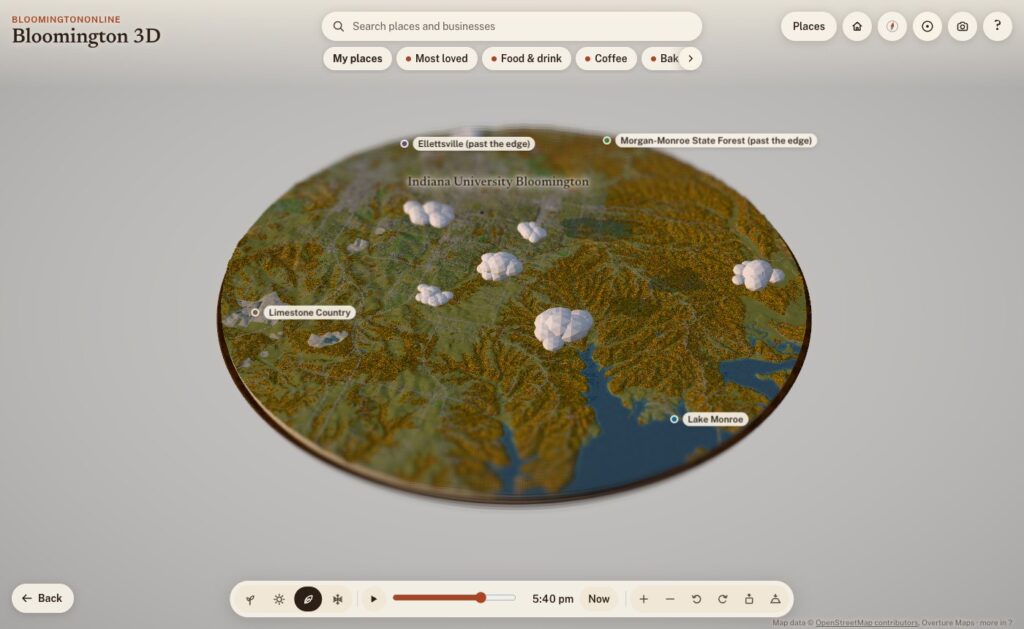
The whole board: Bloomington and the hills around it, about 12 miles across, on a fall evening.
What it is
Bloomington 3D is a model of Bloomington and the country around it: a round board about 19 kilometers (12 miles) across, centered just south of downtown, sitting on a walnut plinth like a museum diorama. The cut edge shows layers of limestone, and where the board slices through Lake Monroe you can see the water in cross-section.
It runs in any modern browser, on a phone or a computer, with nothing to install. It opens on the Courthouse Square. Drag to move, pinch or scroll to zoom, and tap anything outlined, pinned or named to read about it. Each place has a card with a short, fact-checked write-up, nearby places to wander to next, and a link you can share. For example, bloomingtononline.com/town/#griffy opens straight onto Griffy Lake.
Where the town comes from
None of the geography is drawn by hand. Every street, building, tree and creek comes from public data, and the map credits each source on screen. Here’s what’s in it.
Streets, buildings and paths: OpenStreetMap
The base layer is OpenStreetMap, the volunteer-built map of the world. It supplies the roads, the B-Line and the other trails, the creeks, parks, rail lines and building footprints. It also has the small things you notice once you zoom in: about 2,900 sidewalk segments and 4,300 other footpaths, crosswalks, bike lanes, benches, bike racks, picnic tables and parking lots, which fill up with little parked cars.
The hills: USGS elevation data
Southern Indiana isn’t flat, and the model shouldn’t be either. The terrain comes from USGS elevation data via open terrain tiles, with the hills exaggerated about two times so the ridges and hollows read at a glance, the way a museum diorama does. Buildings and trees stand at their real heights. Where OpenStreetMap doesn’t map the woods, the model fills undeveloped slopes with forest, because that’s what our hollows are.
Real building heights: 154 million laser points
This is the part I’m proudest of. Indiana was flown with lidar between 2017 and 2019 for the USGS 3D Elevation Program: an airplane sweeps a laser across the ground and records where every pulse bounces back. We streamed the 21 tiles that cover downtown, campus, Prospect Hill, Elm Heights, Bryan Park and the near west side, which is 154.6 million points, and turned them into a one-meter grid of the town.
From that grid, the model measures:
the eave and ridge height of 11,565 buildings, so roofs are the right height and the right shape
stepped roofs on bigger buildings, traced in tiers every 3.5 meters, so a building with a tall section and a low wing looks like that
towers that rise above the rest of a building
the tree canopy, so the woods and big yard trees stand where they really are
the bare ground under it all, more detailed than the terrain everywhere else
Outside that core, building heights come from Microsoft’s machine-learning estimates, published through Overture Maps, which also fills in buildings OpenStreetMap doesn’t have yet. All told, there are about 35,000 buildings on the board.
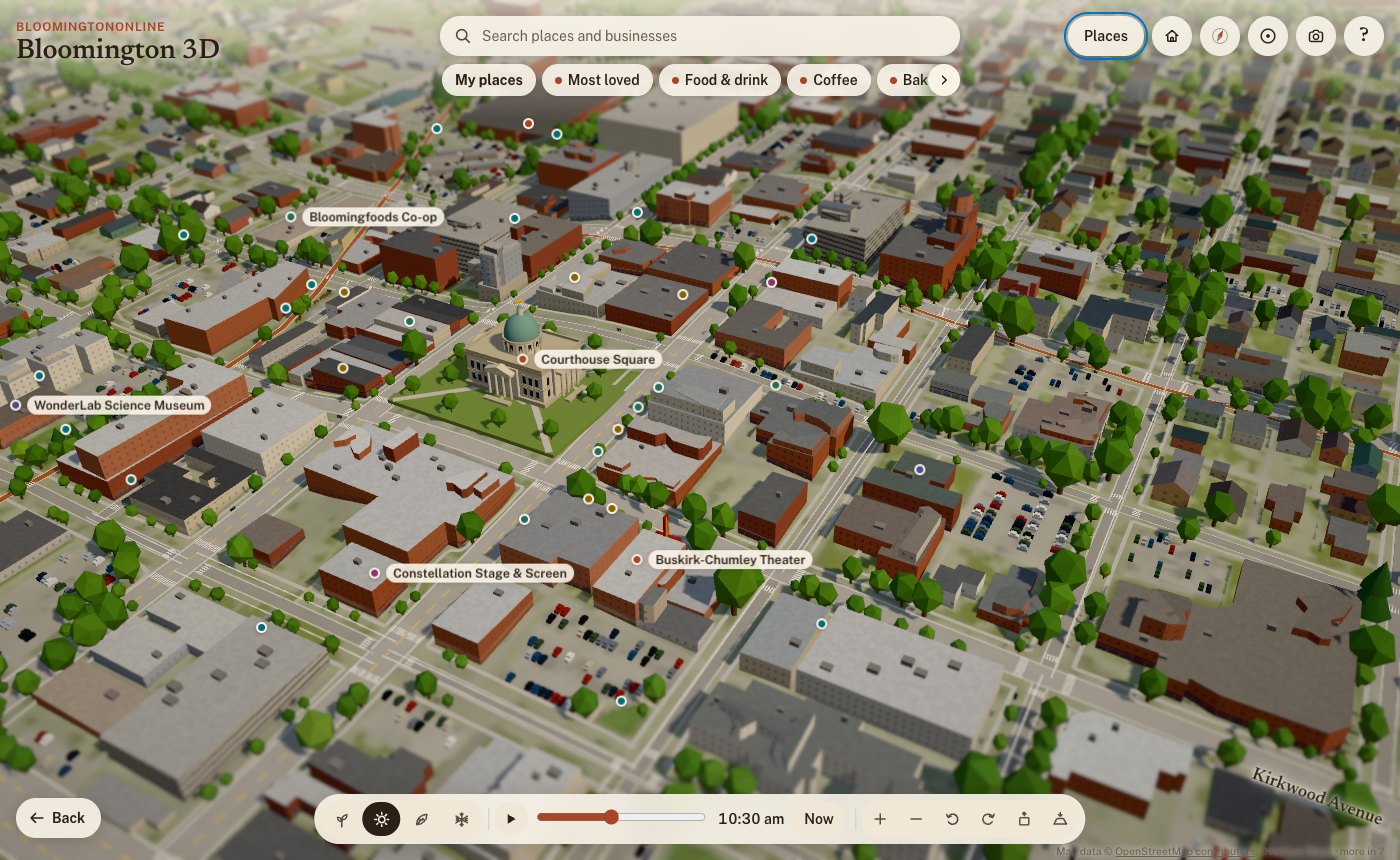
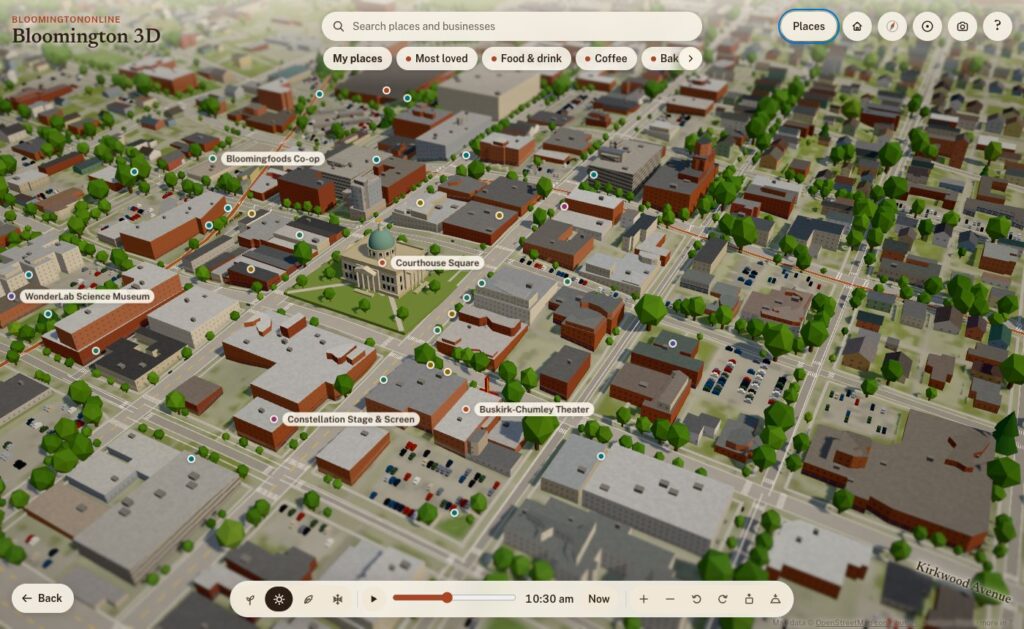
Downtown on a summer morning. Building heights and roof shapes are measured from lidar; roof colors come from the 2025 aerial photos.
Roof colors: the 2025 aerial photos
Flying over a model where every roof is the same gray is boring, and it isn’t Bloomington. So for 11,518 roofs in the core, the model samples the real color from IndianaMap’s 2025 statewide aerial imagery: the red metal roofs, the white flat roofs on campus, the weathered shingles. The same photos also lighten the ground where there’s paving and green it where there’s grass. We use the photos as data, not as a texture, so everything stays in the model’s diorama style.
36,000 real trees, and fall colors by species
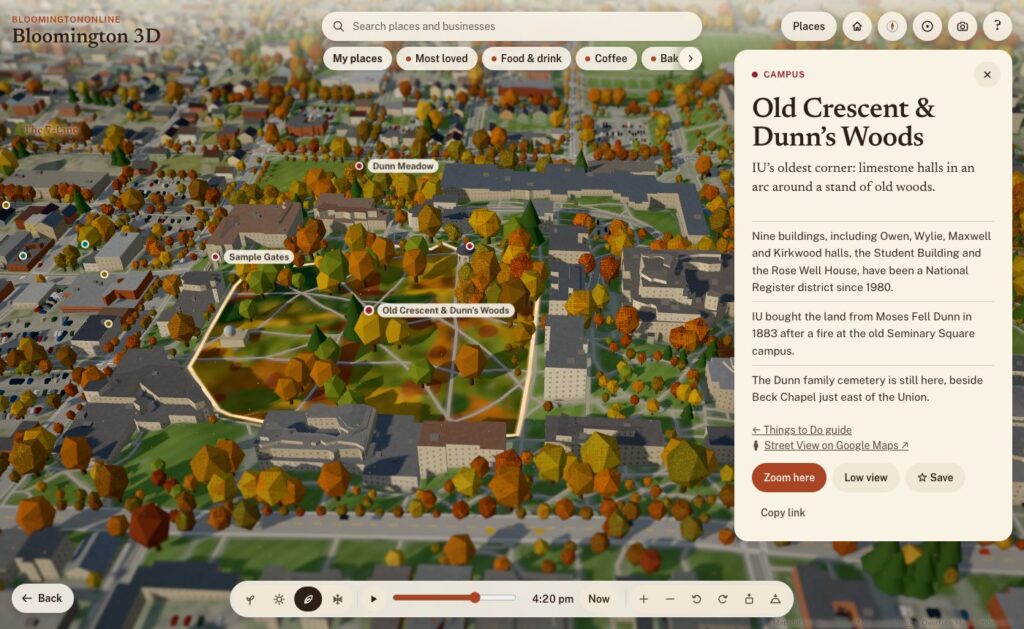
The City of Bloomington keeps an inventory of its street and park trees, and IU surveyed its campus trees in 2019. Together that’s about 36,000 trees on the board, each standing where it really stands, and each with its species. So in fall:
red maples, sweetgums and red oaks turn red
sugar maples turn orange
tulip trees, ginkgos, honeylocusts and redbuds turn yellow
white oaks, beeches and sycamores go bronze
pines, spruces and cedars stay green
In spring, the redbuds and crabapples bloom pink and the dogwoods and pears bloom white. Dunn’s Woods and the campus look different from the near west side because they’re planted differently, and the model knows it. Beyond the inventories, trees follow the lidar canopy in the core and the landcover everywhere else.
The Old Crescent and Dunn's Woods in fall. Campus trees come from IU's tree inventory and change color by species.
The city’s own maps
From the City of Bloomington’s open data we use:
Historic districts and neighborhood boundaries: outlines like Prospect Hill and Elm Heights are the city’s own.
The bikeways layer.
The historic buildings survey: houses it rates as historic get an older-house look in Elm Heights and Prospect Hill.
The public art inventory: 42 outdoor works, each with the city’s photo, artist, year and medium. A “Public art” walk visits them in order, starting at the Square.
And BloomingtonOnline itself
Our own content is on the map too:
Things to Do guide: 67 places, linked both ways.
Neighborhoods guide: the north, east, south and west sides of town.
The business directory: more on that below.
Light, time and the seasons
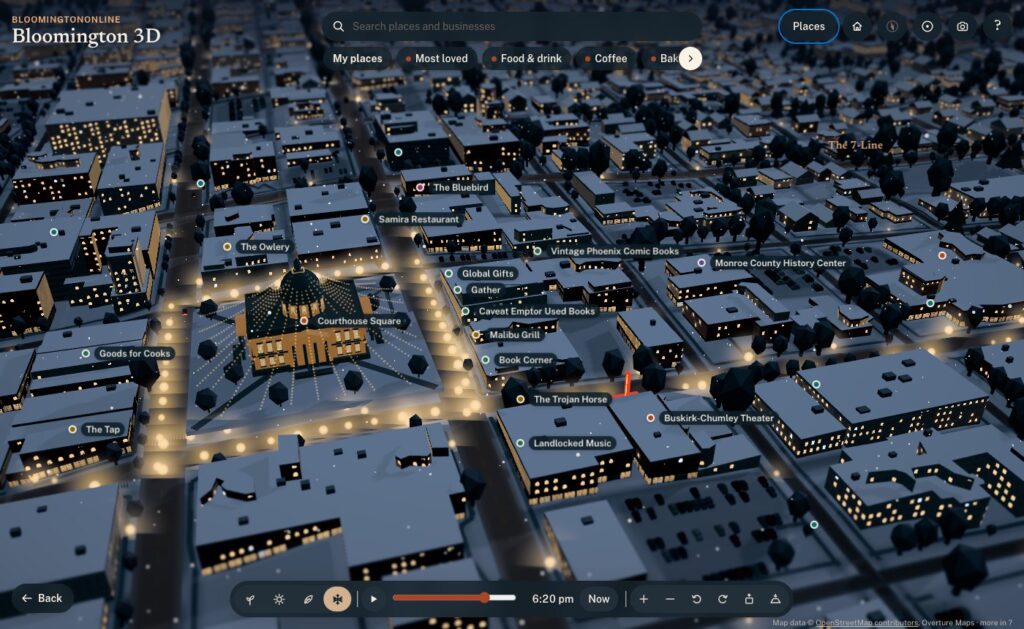
By default the model runs on live Bloomington time. The sun is where the real sun is, calculated for our latitude down to the minute, daylight saving time included. Watch it long enough and the shadows swing across the Square, the sky warms at golden hour, the street lamps come on, and the windows downtown light up after dark.
Live mode also follows the calendar, and the four season buttons let you jump ahead:
Spring: the redbuds and dogwoods bloom.
Summer: sailboats on Lake Monroe, paddlers on Griffy, and fireflies at dusk.
Fall: the species colors, with leaves drifting down.
Winter: snow on the roofs, wet streets and moonlit fields.
Some details only show up at the right moment. The farmers’ market tents are on Showers Common on Saturday mornings from April through October. From the Friday after Thanksgiving through December, the Canopy of Lights glows over the Square at night.
The Canopy of Lights over the Square, shown from the Friday after Thanksgiving through December.
You can also link to a moment. Adding ?season=winter&time=18:30#square to the address opens on the Canopy of Lights at dusk, which is handy for stories.
Hand-built landmarks
Data gets you most of the way. A few places deserved to be modeled by hand:
The courthouse: its dome and windowed drum, the copper fish weathervane, and window rows that light up at night.
Campus: the Sample Gates, the Rose Well House, Kirkwood Observatory’s dome, Showalter Fountain, the IU Auditorium’s front and the field at Memorial Stadium.
Downtown: the Buskirk-Chumley’s marquee and the sawtooth roof of the old Showers plant, now City Hall.
The Little 500 track.
Grout piles: heaps of waste limestone blocks along the rims of the quarries.
Older brick blocks within a few minutes’ walk of the Square get storefronts, awnings, arched upper windows and limestone cornices.
Ways to explore
A first look: a guided tour of the highlights.
Fly-alongs: rides along the B-Line, Kirkwood and out to Clear Creek. Nine more stay low: on foot down Fourth Street, College Avenue, Walnut, Third Street and 10th Street through campus, and by bike along the 7-Line, Cascades, Jackson Creek and the Karst Farm Greenway. The low routes were checked against the lidar so the camera clears every roof and treetop.
Low view: drops you to about 10 meters, looking down the street toward the horizon. Smaller places link to Google Street View when you want the real photos.
Circling: pick a place and the view slowly circles it, like Google Earth after a search.
Home, Back and the compass: Home takes you back to the Square, Back to your last view, and the compass to north, then straight down.
Save a picture: the camera button saves the current view as an image, credit included.
The business directory, on the map
This is where the model stops being a pretty picture and becomes part of BloomingtonOnline:
Every business on its building. More than 1,900 directory listings now have a See it on the 3D map button. The model places each one on its actual building, matched by name and address against OpenStreetMap and Overture, instead of rough estimates from street address ranges. Businesses just past the edge of the board get a pin on the rim pointing their way.
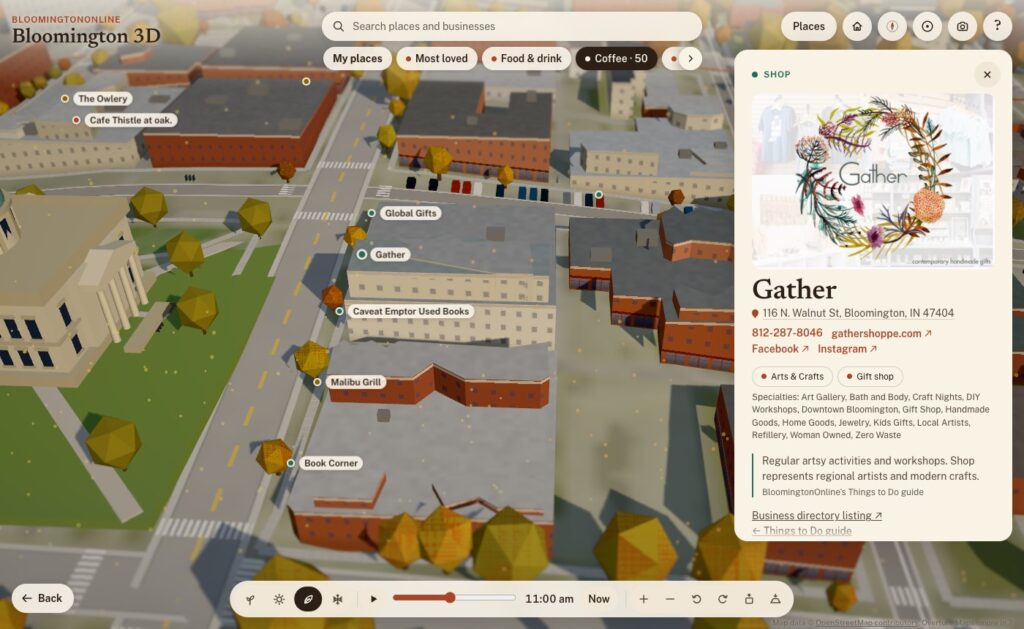
Categories as layers. The chips under the search box show one kind of business at a time: Food & drink, Coffee, Bakeries, Bars & nightlife, Pizza, Shops, Arts & entertainment, and Fitness & recreation. More has every directory category. Category pages in the directory link to their view on the map, so coffee is one tap away.
Search the whole directory. Type a name and any business on the board comes up.
Rich business cards. Each card has the business’s photo, its categories and specialties, the address (linked to Google Maps), tap-to-call phone, website and social links. A Flag this listing link reaches our correction form.
My places. Tap Save on any place or business, here or on its directory page, and it goes into your own list on the map. You can share the whole list with a link.
Locals love this. A heart on every business. Votes add up, and Most loved shows the favorites on the map.
With the Coffee layer on, every coffee shop is a pin. Gather's card shows its photo, address, phone, website, social links and categories, live from the directory.
Putting the directory on a map also showed us where the directory needed work. Over the years, several bulk imports had added some businesses two or three times. So we built a review page, went through every suspected duplicate, and merged 194 duplicate listings into the right ones. Nothing was lost: phone numbers, photos, categories and tags were combined, and every old address now redirects to the listing that stayed. The directory now warns us when a new listing looks like one we already have.
How it was built
I built Bloomington 3D with Claude Code, Anthropic’s AI coding agent, working as a two-person team: I set the direction, judged the results and knew the town, and Claude wrote the code, chased down the data and tested everything before it went live. Every feature went through the same loop:
Ask. I’d describe what I wanted in plain words: “add Third Street too”, “the category selectors are being cut off”, “let’s make a camera icon for saving the view”.
Build. Claude found the right data or wrote the code, often several pieces at once.
Test. Every change was checked in a real browser, on desktop and phone sizes, before it shipped. That included flying the camera down the new fly-alongs and clicking through the new buttons.
Ship. A one-command deploy publishes the new version to the site, keeping the old one for an instant rollback, and every change is saved in version control. As of this writing there are 146 of them.
A few principles held the whole way through:
Facts first. Every claim on a place card traces back to a source on a fact sheet, and the copy was fact-checked twice. If something couldn’t be verified, it stayed out. That’s why the cards don’t say why the courthouse has a fish: nobody knows for sure.
Open data, credited. Every source is credited on the map. There’s no paid mapping service, no API key, and no recurring cost.
Private by default. Update, Oct 14: the map now uses anonymous Google Analytics to count what people tap, search for and share, so we can fix what is confusing. It collects no names or email addresses, and your saved places still stay on your own device. Tapping the heart on a business also runs a quick background check from Cloudflare (the same one our contact form uses). Your saved places stay on your own device.
Works on a phone. The model picks a lighter quality level on phones, runs slower when nothing’s moving to save battery, and offers lighter graphics if things get choppy. It scores 100 for accessibility on Google’s Lighthouse test.
Two days, start to now
Day one (Sunday).
Early afternoon: the first version, OpenStreetMap streets and buildings on terrain, with a tilt-shift look that makes it feel like a miniature.
Next two hours: three art-direction passes, then night lighting, seasons, the guided tour, landmarks, boats, storefronts and performance tuning for phones.
About 3 p.m.: it went live on the site.
Next hour: the lidar heights, roof colors, real trees, city outlines, public art and the first directory integration.
Evening: the Things to Do guide, the low fly-alongs, circling, directory pins on their buildings and category layers. It also got its name. It had started life as “Bloomington in miniature”, which I didn’t love.
Finding things: the search bar with category chips, and friendlier controls (Home, Back, double-tap to zoom, first-visit tips).
Links and history: working browser Back and Forward, and shareable links that stay tidy.
Directory features: richer business cards, My places, Locals love this, and pins for businesses just past the edge.
Directory cleanup: the duplicate merge.
A lot of the best changes came from simply using it. On day one I noticed the business pins weren’t quite on their buildings. The directory’s locations were estimates from street address ranges, often 20 to 100 meters off, so we matched every listing to its actual building instead. Coming in from a directory listing, I noticed the address bar kept the old business’s name. The browser’s Back button didn’t walk back through places. The category chips were cut off on a phone. Each of those took minutes to fix once I’d noticed it.
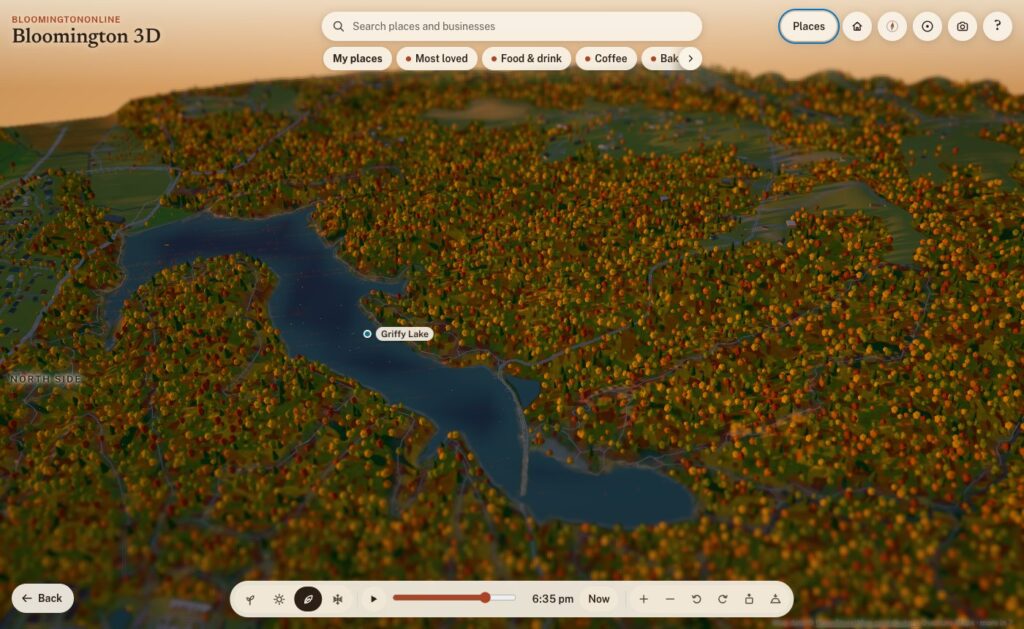
Griffy Lake at sunset in fall.
Where it goes from here
After two days, Bloomington 3D includes:
about 35,000 buildings and 36,000 real trees
50 written-up places, 67 Things to Do and 42 works of public art
a dozen fly-alongs
more than 1,900 businesses
four seasons and a sun that keeps real time
It’s also a living thing, and that’s the exciting part. A few ideas on the list:
a “show where I am” button
events on the map
live weather
more guided tours drawn from our guides
your saved places following you from device to device
But the best next steps will come from you. Take it for a spin, find your street, and save your favorite spots. Then tell us what you’d like to see, what’s missing, or what we got wrong. If a business is on the wrong building or out of date, use Flag this listing on its card. We read every one.
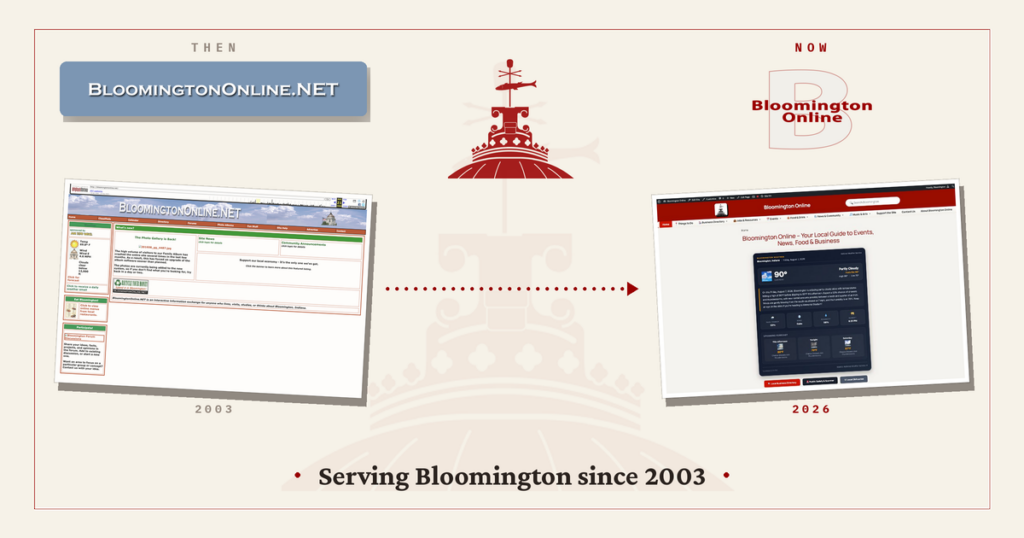
Bloomington Online has been a quiet fixture of local life for more than twenty years. Lately it has been growing again, so this feels like a good moment to look back at how it started, share what we have been building, and talk about where we hope to take it. If you want the fuller story, our new About page covers it too.
Where it started
Bloomington Online has been part of the local web since 2003. For much of that time it was the work of one person, Dale Staton, who built it by hand into something impressive and technically complex.
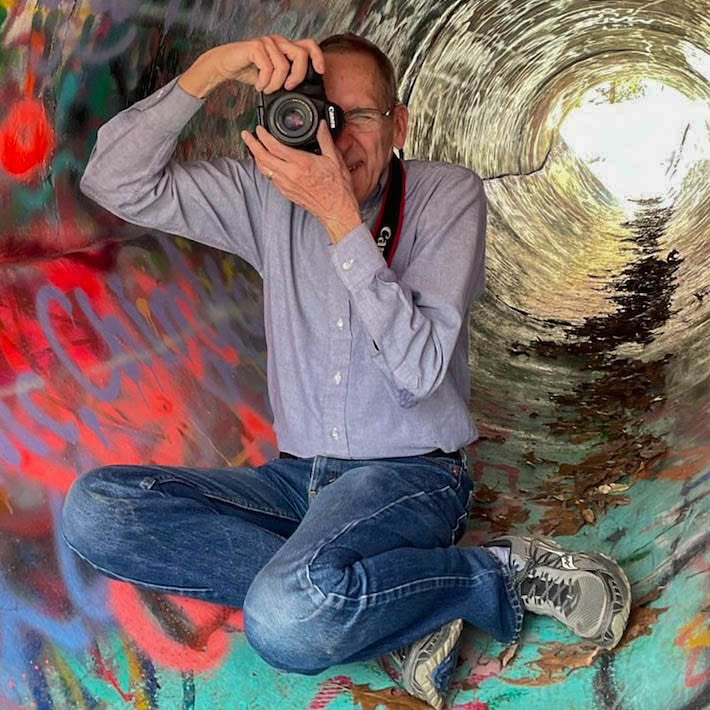
Dale Staton built Bloomington Online and spent years documenting Bloomington through his camera.
Dale put himself into the site the way he put himself into everything he cared about: photography, staying close to people, and showing up at community events all over town. When the time came to pass it on, we met at a local Starbucks and he walked through everything he had made. It was remarkable, and we were glad to help keep it alive and growing.
Where we are today
Over the past year we rebuilt Bloomington Online on a modern platform and added a lot to it. A few of the pieces you can explore right now:
Practical resources like local jobs, obituaries, and public safety information.
The goal behind all of it is simple. Give residents a reliable home base for local life, and give local organizations a place to be found.
Update, October 2026: we’ve added Bloomington 3D, an explorable 3D model of the town with every business in the directory on its building. Read how we built it.
What we hope to accomplish
We want Bloomington Online to keep getting more useful, and more local, over time. Some of what we are working toward:
Growing the directory so more of Bloomington’s businesses and nonprofits are represented.
Keeping local news and events current and easy to scan.
Adding more community photos, stories, and resources.
Welcoming neighbors who want to help, whether that is sharing an event, suggesting a listing, or lending a hand.
We would also love your input on what would make the site more valuable to you. You can always make a suggestion.
A community effort
Bloomington Online is community supported. It is not a nonprofit, so contributions are not tax deductible, but they are what keep it running: hosting, upkeep, and the news aggregation that keeps headlines flowing. If the site is useful to you, you can help keep it going on our support page.
More than anything, this is a thank you. To Dale, for building something worth carrying forward. And to everyone in Bloomington who uses the site, adds to it, and helps it grow.
We use cookies to see which pages are useful (Google Analytics, Microsoft Clarity). No ads, and nothing is sold. Privacy policy